VPN on FTD Overview
Supported VPN
- Site to Site
- IPsec IKEv1/IKEv2
- Remote access
- IPSec IKEv2/SSL TLS
Supported Features
- IPv6.
- ipv4 over ipv6 or ipv6 over ipv4.
- Remote access
- Split tunneling
- Anyconnect (check documentation for latest update)
- Authentications
- Site to Site
- Certificate or PSK
- Remote access
- Gateway -> certificates
- Clients -> certificates, AAA (Radius. LDAP AD) or both.
- AAA is only available in RADIUS
- Site to Site
Certificate Considerations
- Supported CA include microsoft, cisco IOS, ASA
- FTD cannot act as CA
- RSA only working on version 6.2
- Enrollment method
- self certificate
- SCEP
- manual
Topology
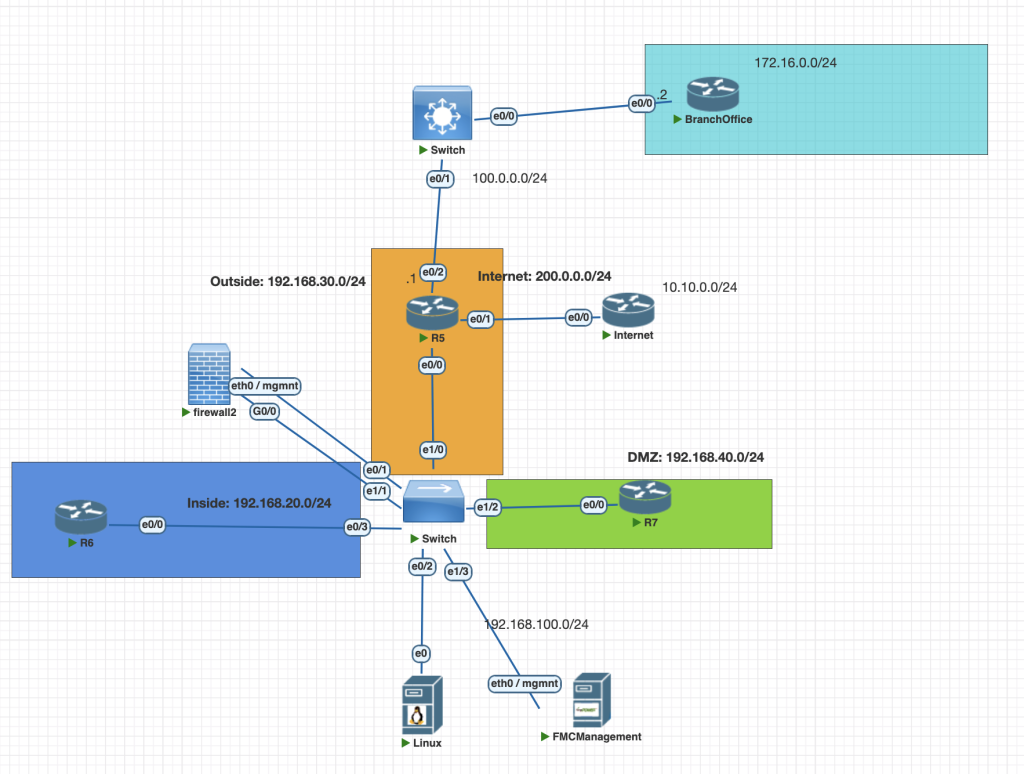
Testing Scenarios
- Configure Site to Site VPN from Firewall to Branch office using IKEv1, use cisco password as a keyshared
- Configure site to site VPN from firewall to Internet, use cisco pass as a keyshared
- Make sure R6 can access 10.10.0.1 (Internet LAN Network) network and 172.16.0.1 (Branch LAN Network)
Configurations
Firewall FTD
Branch Office IKEv1
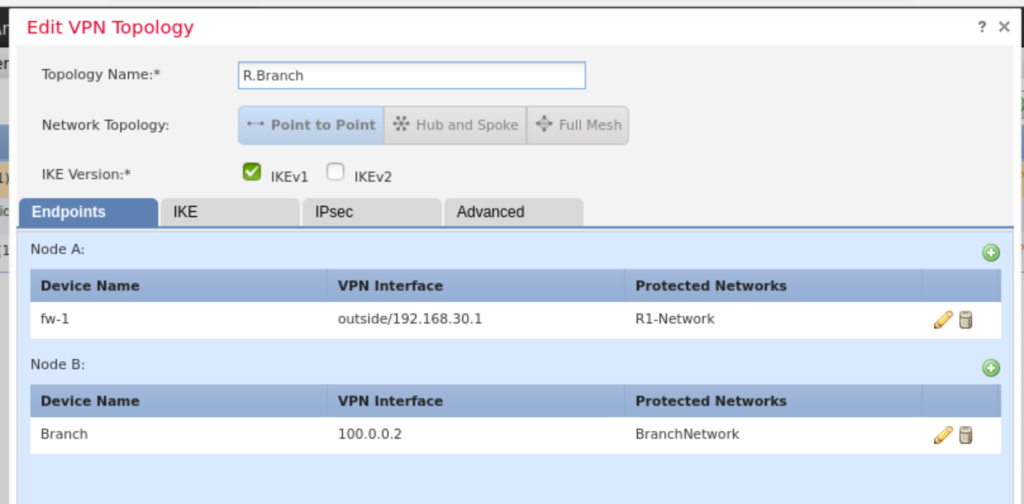
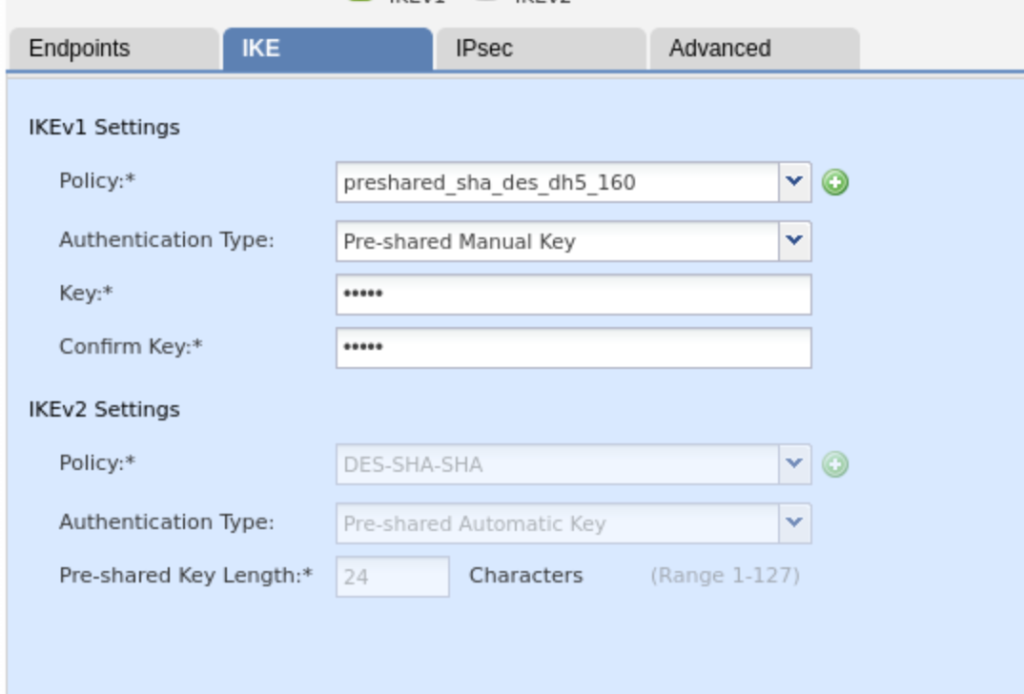
we dont need to configure static route for private network in HQ the FTD.
Internet IKEv2
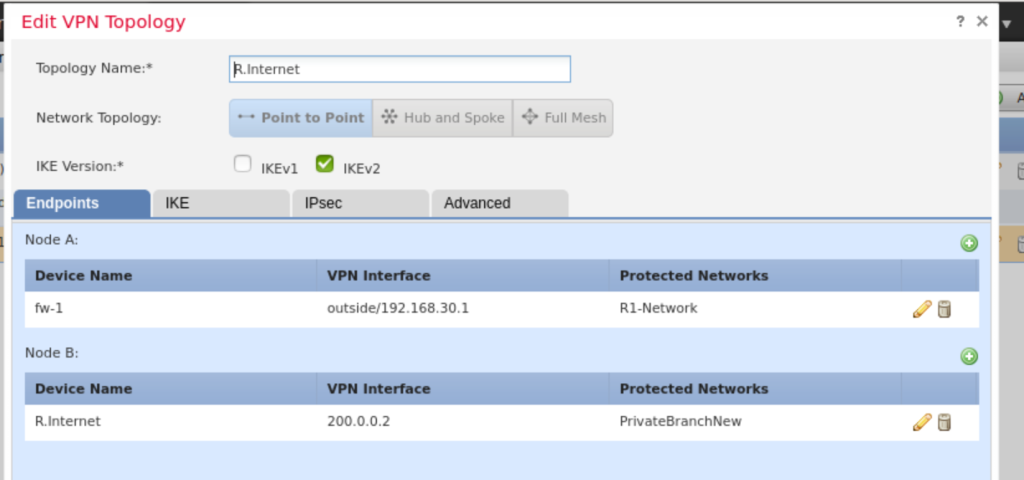
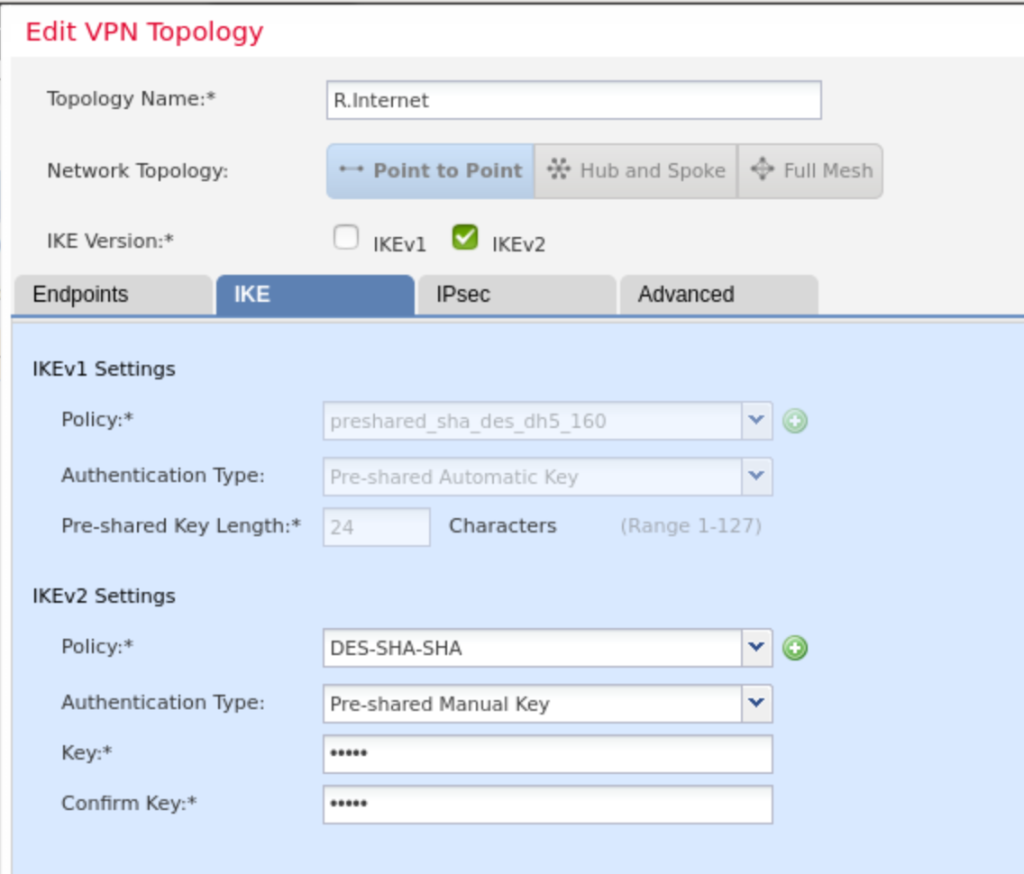
Create ACP Rule to allow traffic from HQ to Branch office

Router Branch (IPsec IKEv1)
crypto isakmp policy 10
 authentication pre-share
 group 5
#Define peer IKEv1
crypto isakmp key cisco address 192.168.30.1

# create access list for matchin address our network allow to HQ subnet
access-list 120 permit ip 172.16.0.0 0.0.0.255 6.6.6.0 0.0.0.255

# crete profile IKEv1
crypto map TO-HQ 10 ipsec-isakmp
 set peer 100.0.0.1
 set peer 192.168.30.1
 set transform-set tunnel_des_sha
 match address 120
 crypto map TO-HQ
Define IPsec profile and attach to interface
crypto ipsec transform-set TS esp-des esp-sha-hmac
crypto ipsec profile IPSEC-PROFILE
 set transform-set TS
 set ikev2-profile IKEV2-PROFILE
int eth 0/0
 crypto map TO-HQ
Router Internet (IPsec IKEv2 )
Define IKEv2 Profile
crypto ikev2 propsal my-proposal
 encryption des
 integrity sha1
 group 5
 prf sha
!
crypto ikev2 policy my-policy
 proposal my-proposal
!
crypto ikev2 keyring my-keyring
 peer 192.168.30.1
  address 192.168.30.1
  pre-shared-key cisco
 !
!
!
crypto ikev2 profile my-profile
 match identity remote address 192.168.30.1 255.255.255.255
 identity local address 200.0.0.2
 authentication remote pre-share
 authentication local pre-share
 keyring local my-keyring
Define IPsec Profile
crypto ipsec transform-set TS esp-des esp-sha-hmac
 mode tunnel
!
crypto ipsec profile IPSEC-PROFILE
 set transform-set TS
 set ikev2-profile my-profile
configure tunnel interface
interface Tunnel0
 ip address 192.168.99.2 255.255.255.0
 tunnel source Ethernet0/0
 tunnel mode ipsec ipv4
 tunnel destination 192.168.30.1
 tunnel protection ipsec profile IPSEC-PROFILE
set ip route static to route protected network HQ via tunnel interface
conf t
ip route 6.6.6.0 255.255.255.0 tun0
Verifications
- we can check the Router 6 can remote/access the internal Network 10.10.0.1 using ping and telnet.
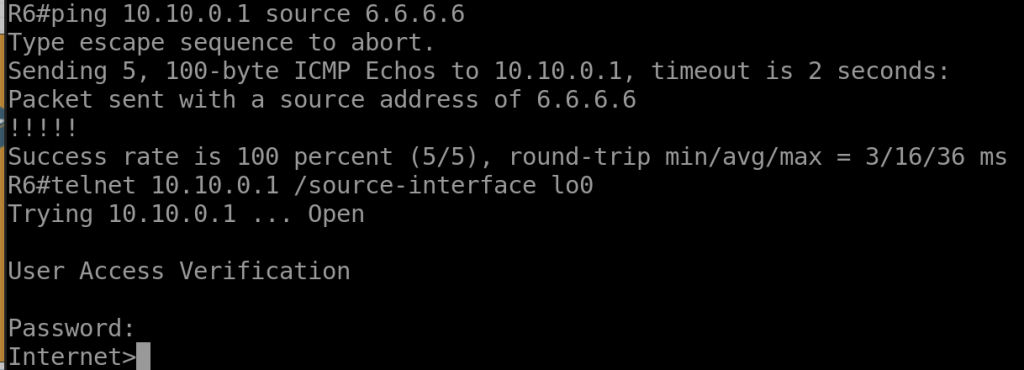
2. From R. Internet we can our VPN is up using commnad.
show crypto ikev2 sa
show crypto ipsec sa
3. From FTD we can check the VPN is up using commands
show vpn-sessiondb l2l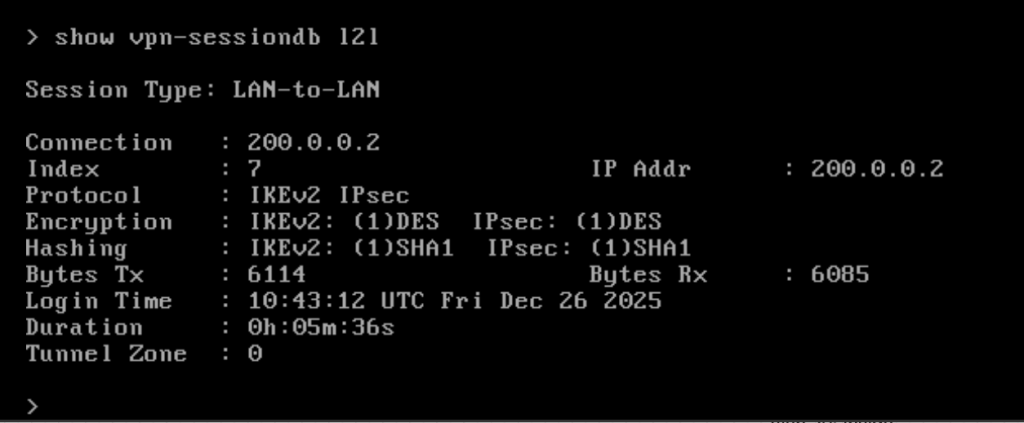
Troubleshooting
To help us troubleshooting VPN Site to Site, these some command or tips we can use.
- Generate interesting traffic to trigger negotiation IKE and IPsec Protocol, we can use ping command with source ip.
- troubleshooting command
debug crypto ikev2
debug crypto ipsec
3. Make sure all of the attribute IKEv2 is same between peer.
4. for IKEv1 the crypto ipsec is used in physical interface instead of tunnel interface.