
Overview Private VLAN
- Layer 2 segmentation technology
- commonly used by service provider to address scalability issues.
- Data center hosting, each server must access to the internet but server other host cannot access each other.
- Private vlan one vlan (Primary vlan) into sub-vlan (secondary)
- Block direct communication between same vlan, but still access external network.
- Require only 1 Subnet.
- Allow to reduce a total number of vlan.
- May span across multiple switch.
Type Secondary VLAN
- isolated
- group devices should not communicate with each other L2
- One in private vlan
- community
- group devices could communicate with each other L2
- more than one community can be defined
- inter-community is blocked as traffic to isolated ports.
Promiscous Ports
- a special port used for external communication.
- typically connected to default gateway.
Configuration Requirement
- VTP 1/2 doesnt advertise private vlan information
- Require Transparent mode or VTP v3
- Start with secondary vlan
Topology
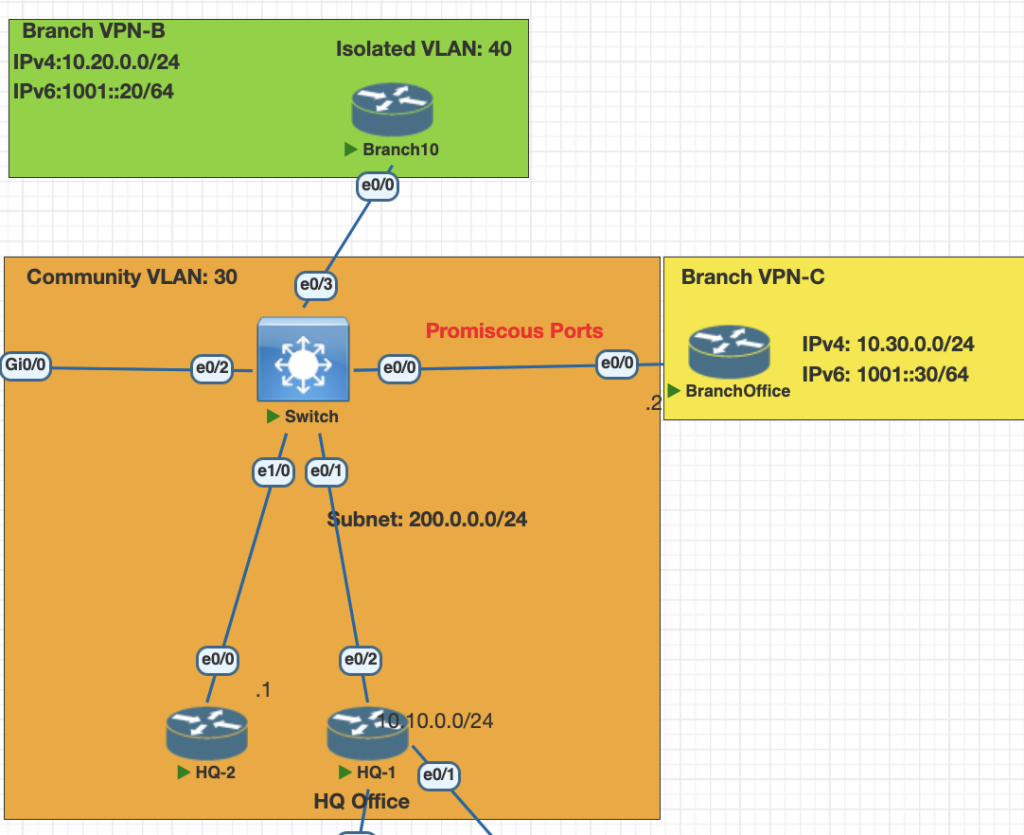
Testing Scenarios
- Vlan primary for this network is 20
- Configure HQ1 and HQ 2 as a community vlan 30.
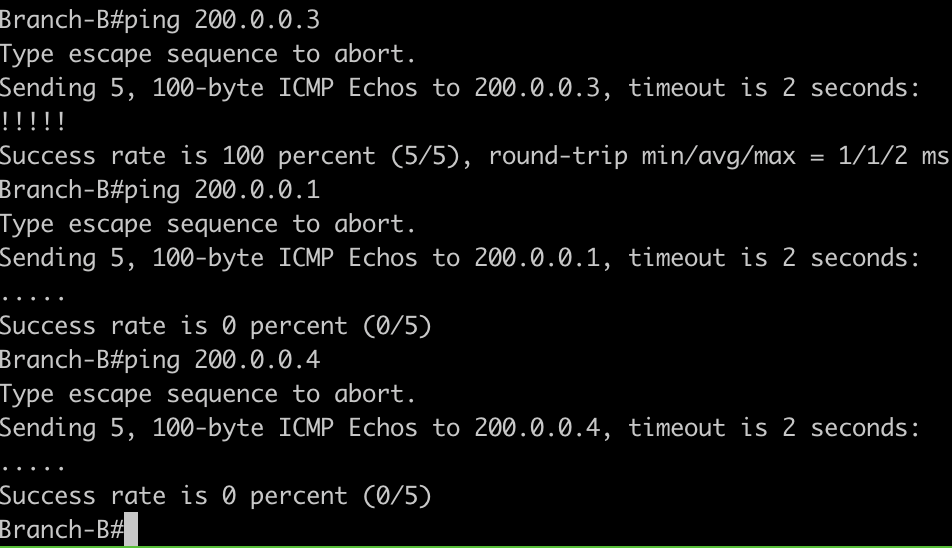
- Confgire Branch B as a isolated vlan 40.
- Make sure all of the isolation vlan and community can contact with Branch C. (promiscuous Ports)
Configuration
- configure vlan Primary
vlan 20
  private-vlan primary
2. configure vlan secondary community and isolated
vlan 30
  private-vlan community
vlan 40
  priavte-vlan isolated
3. Associate the primary vlan to secondary vlan
vlan 20
  private-vlan association 30,40
4. Attach the private vlan to each interface on the switch
# make sure remove switchport mode access and vlan for the interface
# community port for HQ-1 and HQ-2
interface range Ethernet0/1, eth 1/0
 switchport private-vlan host-association 20 30
 switchport mode private-vlan host

# isolated port Branch B
int eth 0/3
 switchport private-vlan host-association 20 40
 switchport mode private-vlan host

# promiscuous ports Branch C
int eth 0/0
 switchport private-vlan mapping 20 30,40
 switchport mode private-vlan promiscuous
Verification
- check vlan private mapping
show vlan private-vlan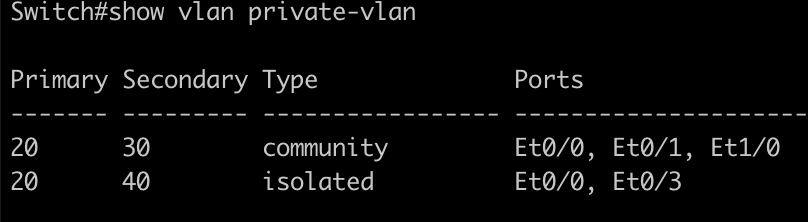
2. check switchport mode
show interfaces ethernet 0/1 switchport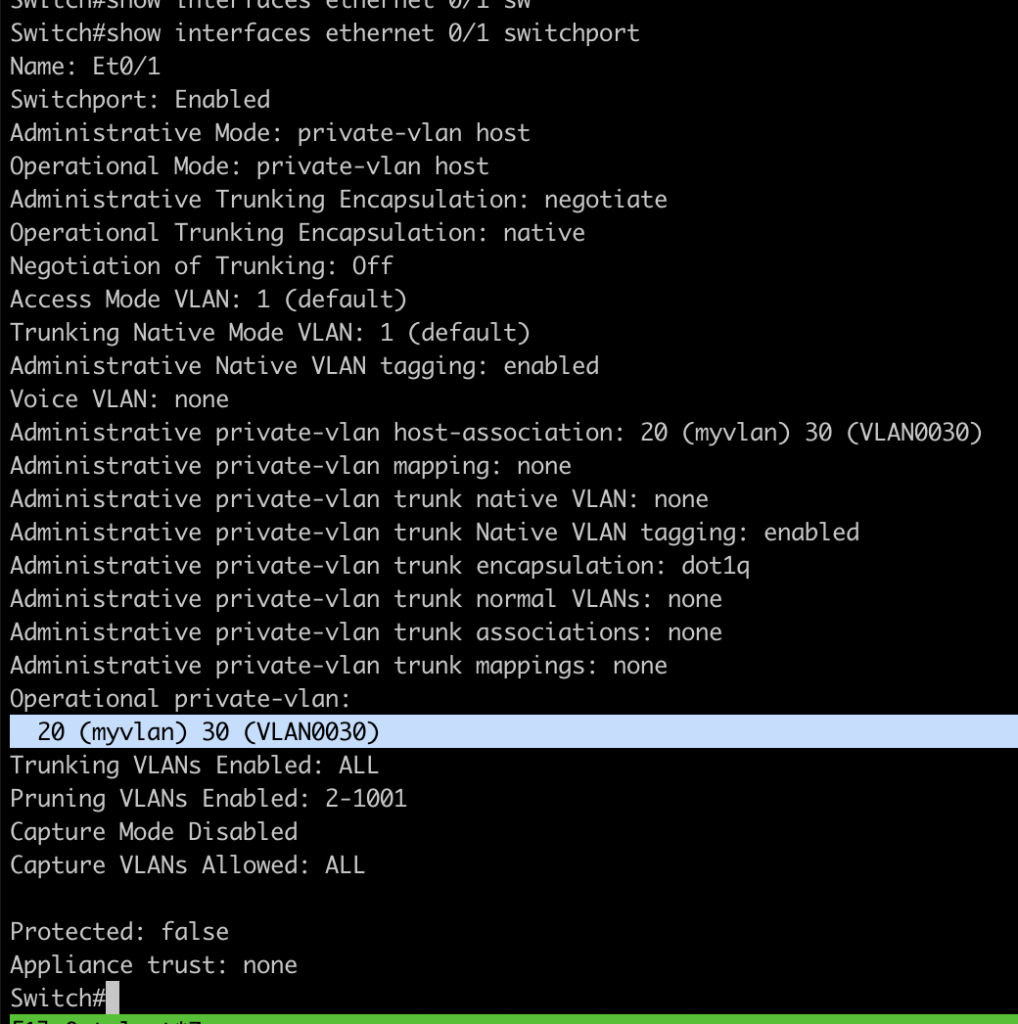
3. Testing the connections from each site
Ping from HQ-1 to HQ-2 and Branch C should working , but not to Branch B
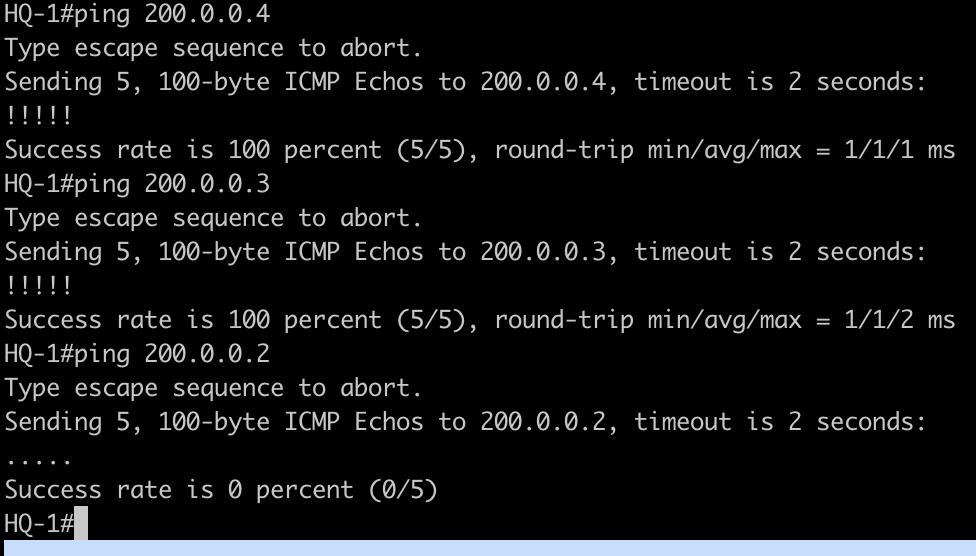
4. Testing connection from isolated vlan 20 site Branch B, should be able to access Branch C but not for HQ
Conclusions
- With private vlan we can isolated site based on the purpose without modifying network subnet.
- All the subnet is vlan primary is same as isolation or cummnity.
- We can use promiscuous port as a port facing gateway vlan.
If you found this useful, subscribe to newsletter