Overview 802.1x
- L2 authentication standard for wired and wireless network
- Used for identity-based networking.
- Implemented through EAP (EAP over LAN “EAPOL”)
- Framework for exchanging arbitary authentication data
- 802.1x Components
- Supplicant
- client software
- Authenticator
- Policy enforcement (Switch/WLC/AP)
- Authentication Server (Radius)
- Supplicant
802.1x Authentication
- Authenticator drop non-EAP packet frame during/before AuthC
- Cisco add exceptions for protocol (CDP,STP,LLDP)
- The Process
- Authentication process start on receptions of EAP request identity frame
- sent link up/down connection or upon reception EAP start
- Authenticator acts as a proxy between supplicant & RADIUS Server
- EAP data is extracted & encapsulated using two RADIUS EAP-specific attributes
- Authentication method is negotiated followed by authentications
- Authentication process start on receptions of EAP request identity frame
- Authentication results determine network access rights
- Success (Access accept – EAP success)
- allow access + return optional data (dACL/VLAN)
- Failure (Access reject – EAP failure)
- wireless (no-access)
- wired (no-access) re-authenticate timeout quite-period
- Success (Access accept – EAP success)
MAB (Mac Authentication Bypass)
- Alternative authentication method for 802.1x Environments
- Needed for non-supplicant devices (IP Cameras, printers, etc)
- MAB Details
- if enabled (mab), trigger after 802.1x times out (dot1x timeout tx-period) default 90s
- in wireless for WLAN configured with MAC Filtering.
- process as “Host lookup”
- no password verification, AuthC on presence of MAC Address.
- identified via radius service type 10 (Call Check) & NAS-Port-Type
- 15 Ethernet
- 19 Wireless
- if enabled (mab), trigger after 802.1x times out (dot1x timeout tx-period) default 90s
Flexible Authentication
- Cisco 802.1x enhancement for wired deployments
- single configuration that fits all 802.1x authentication scenarios.
- authentication method list order:
- authentication order [dot1x] [mab] [webauth]
- failed authentication fallback
- authentication event fail action next method
- authentication method preference
- authentication priority [dot1x|mab] webauth
- authentication method list order:
- single configuration that fits all 802.1x authentication scenarios.
Deployment Modes
- Monitoring
- Low Level
- Close
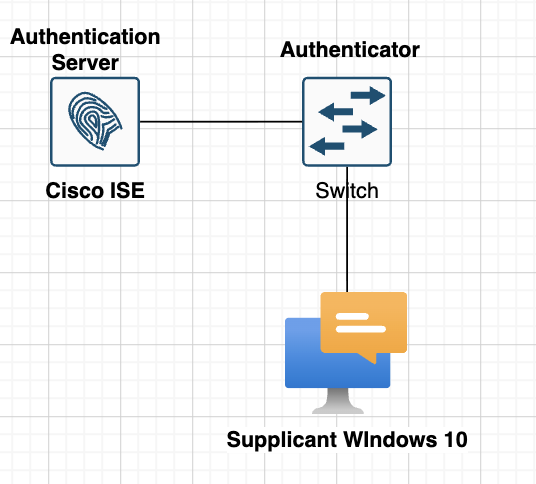
Topology
Testing Scnearios
- Configure Cisco ISE as radius server and Switch as authenticator with password cisco123
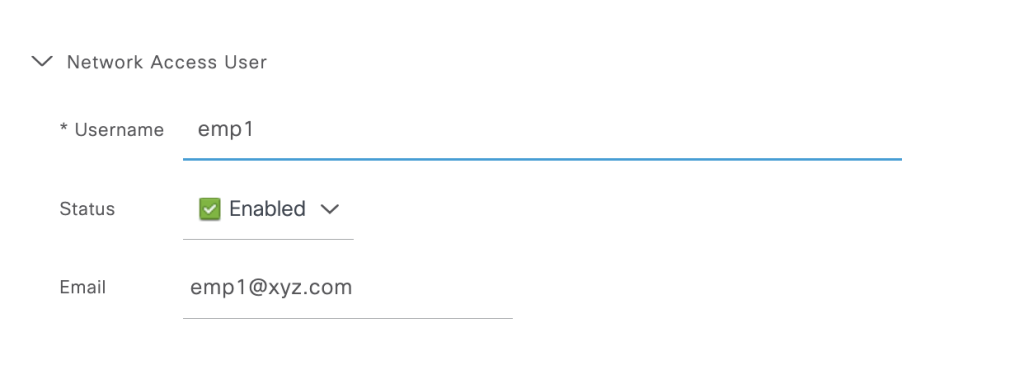
- Use testing user emp1 as username for windows 10 login via 802.1x auth.
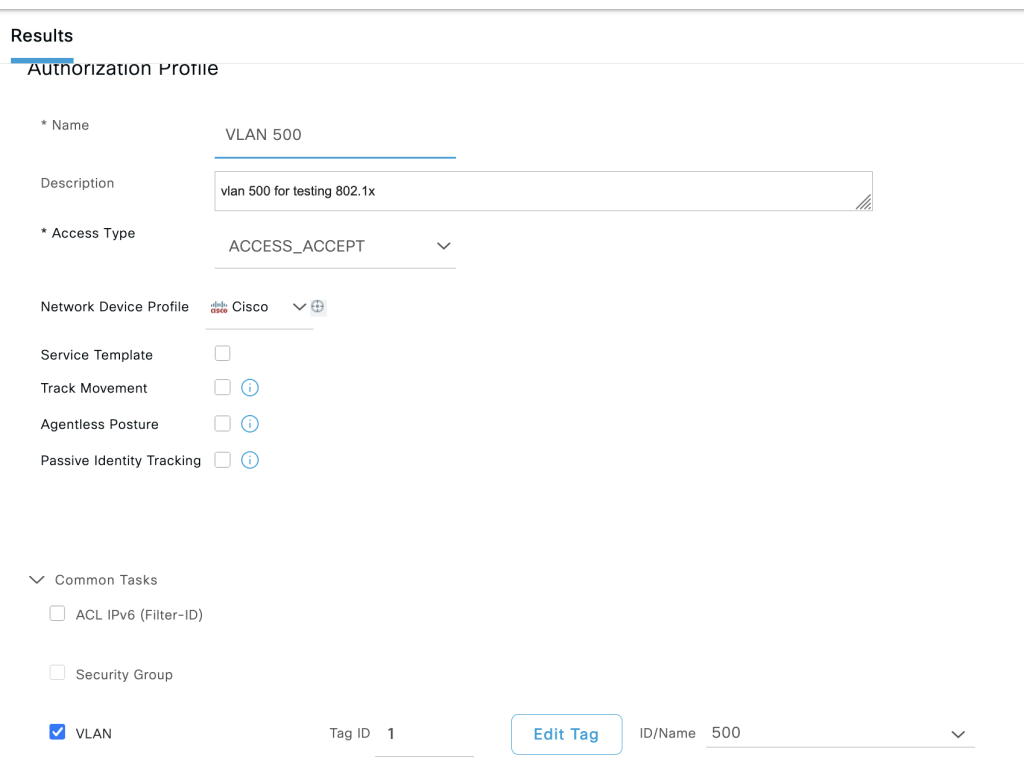
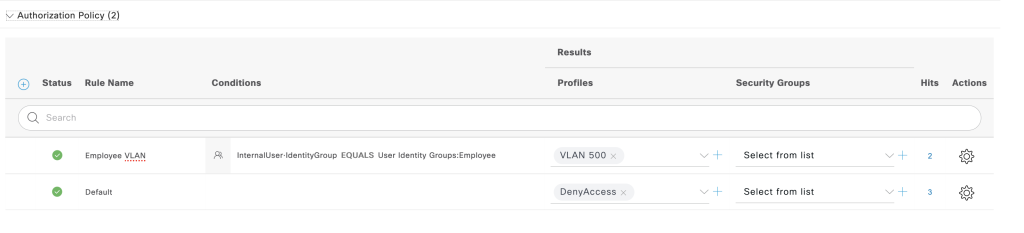
- Configure authorization for user emp1 group employee in vlan 500.
- Configure 802.1x using native software windows 10.
Configurations
ISE
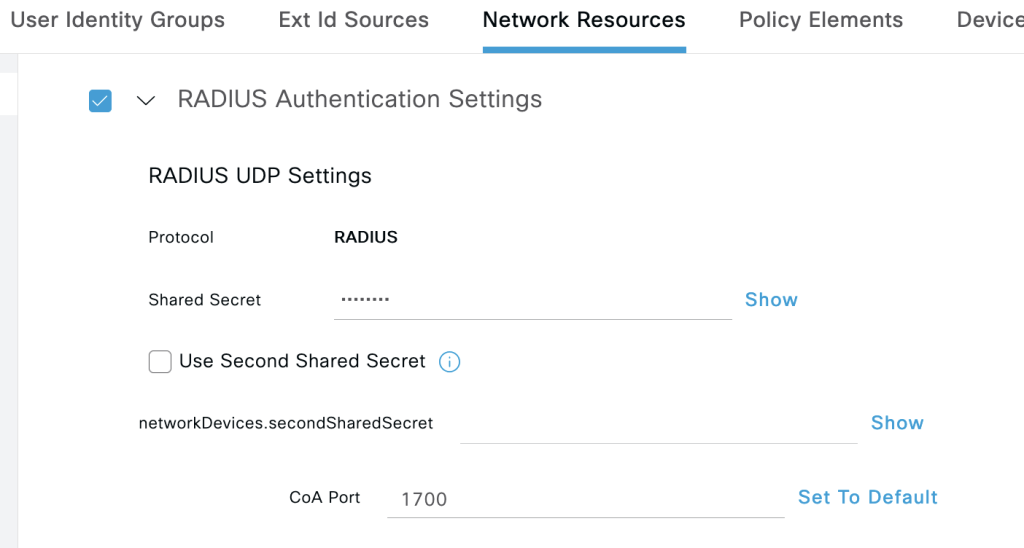
- add NAS switch enable radius and configure password cisco123: work centers -> administartor -> network resources –> add
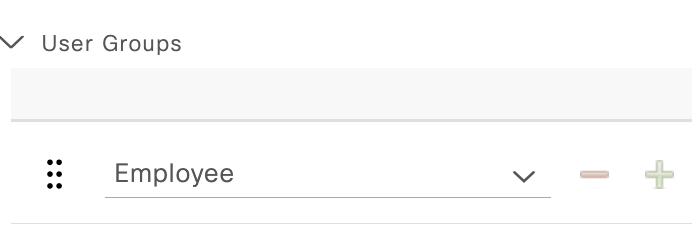
2. Create user emp1 and attach to group employee: work centers -> administartor -> identities -> add
3. Create profile for vlan 500 employee: policy -> policy element -> Results -> Authorization Profiles -> add
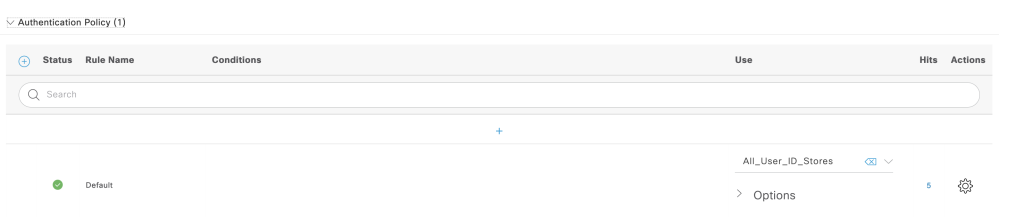
4. Create policy set for 802.1x: policy -> policy set -> add

authentication policy
authorization policy
Switch
Enable AAA and configure interface facing the windows 10 to enable 802.1x
## enable AAA
aaa new-model
aaa authentication dot1x default group radius
aaa authorization network default group radius
aaa accounting dot1x default start-stop group radius

## coa configuration
aaa server radius dynamic-author
 client 192.168.196.79 server-key cisco123
aaa session-id common

## radius attribute
radius-server attribute 6 on-for-login-auth
radius-server attribute 8 include-in-access-req
radius-server attribute 25 access-request include
radius-server host 167.205.196.79 key cisco123

## enable dot1x globally
dot1x system-auth-control

# enable dot1x on interface facing windows 10
interface Ethernet0/2
 switchport mode access
 authentication event fail action next-method
 authentication order dot1x mab
 authentication priority dot1x mab
 authentication port-control auto
 mab
 dot1x pae authenticator
 dot1x timeout tx-period 10
 spanning-tree portfast edge
!
Windows 10
- download the intermediate cert cisco ise and upload save to windows client, import the CA to trusted CA
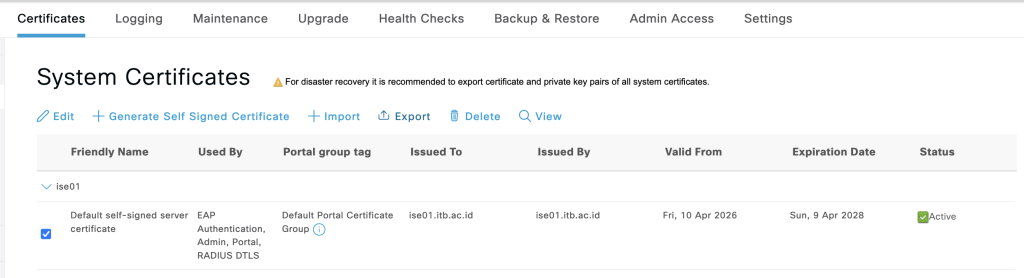
2. import CA to windows 10 systems.
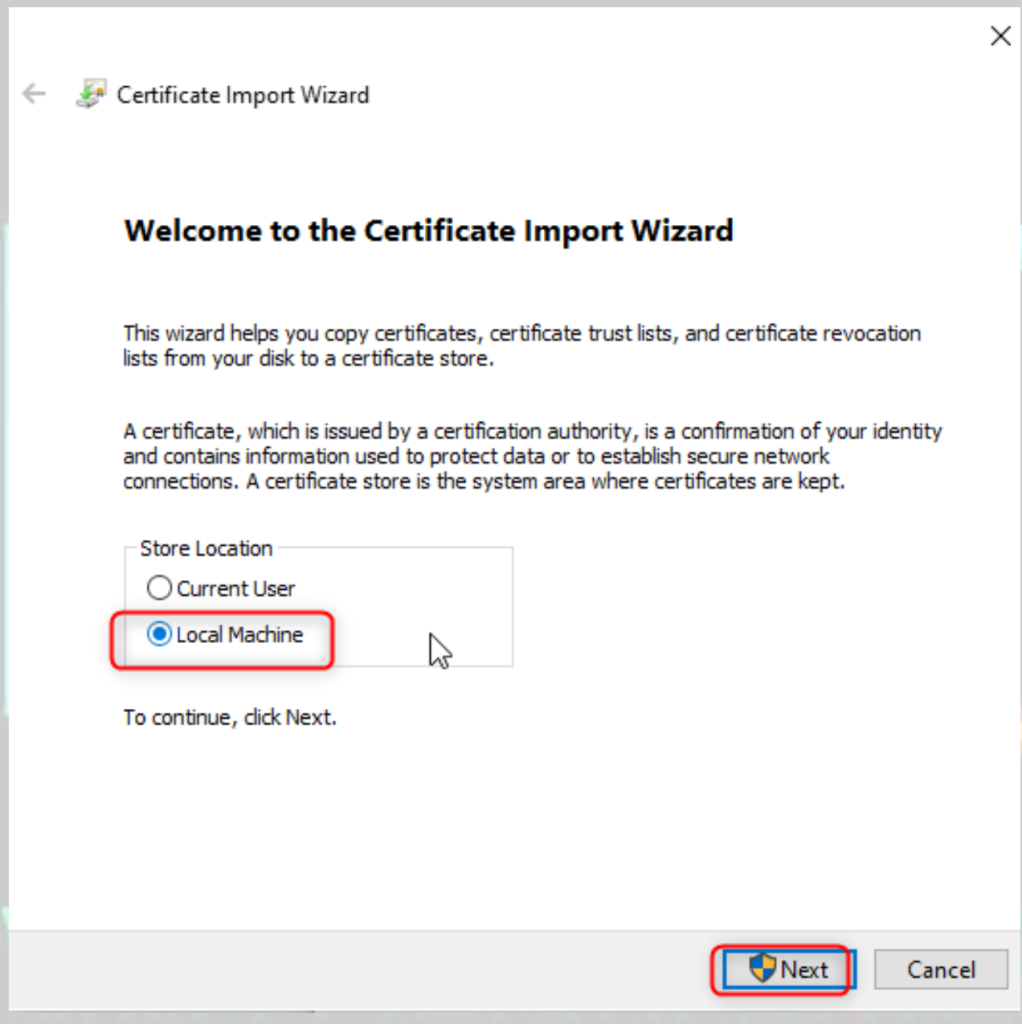
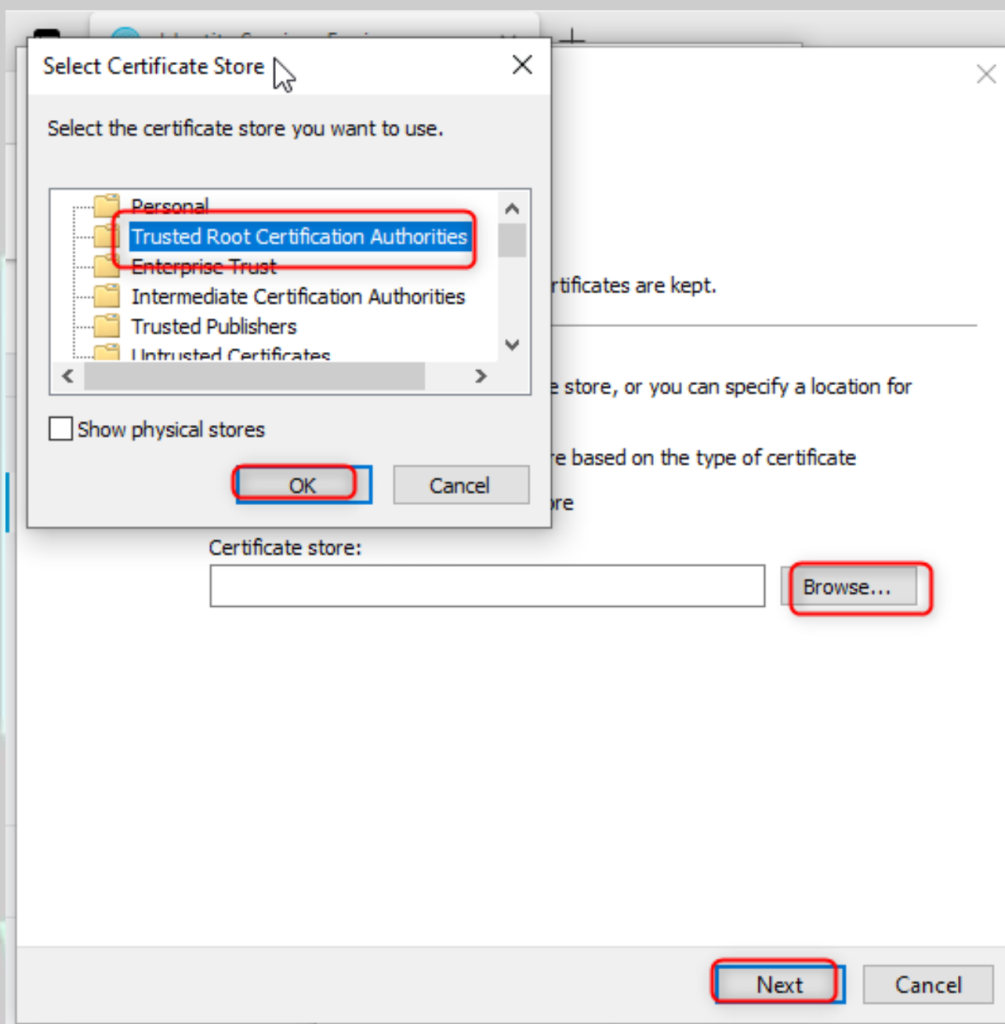
3. Enable service 802.1x on windows 10: go to run: services.msc.
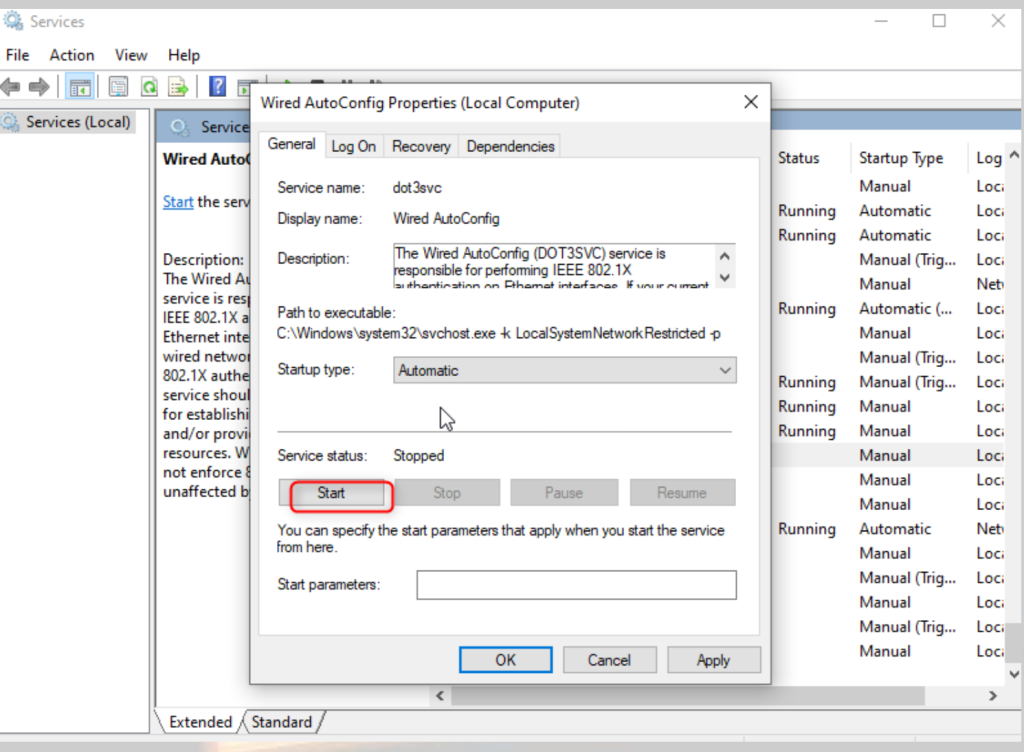
4. go to adapater setting and configure 802.1x on the interface
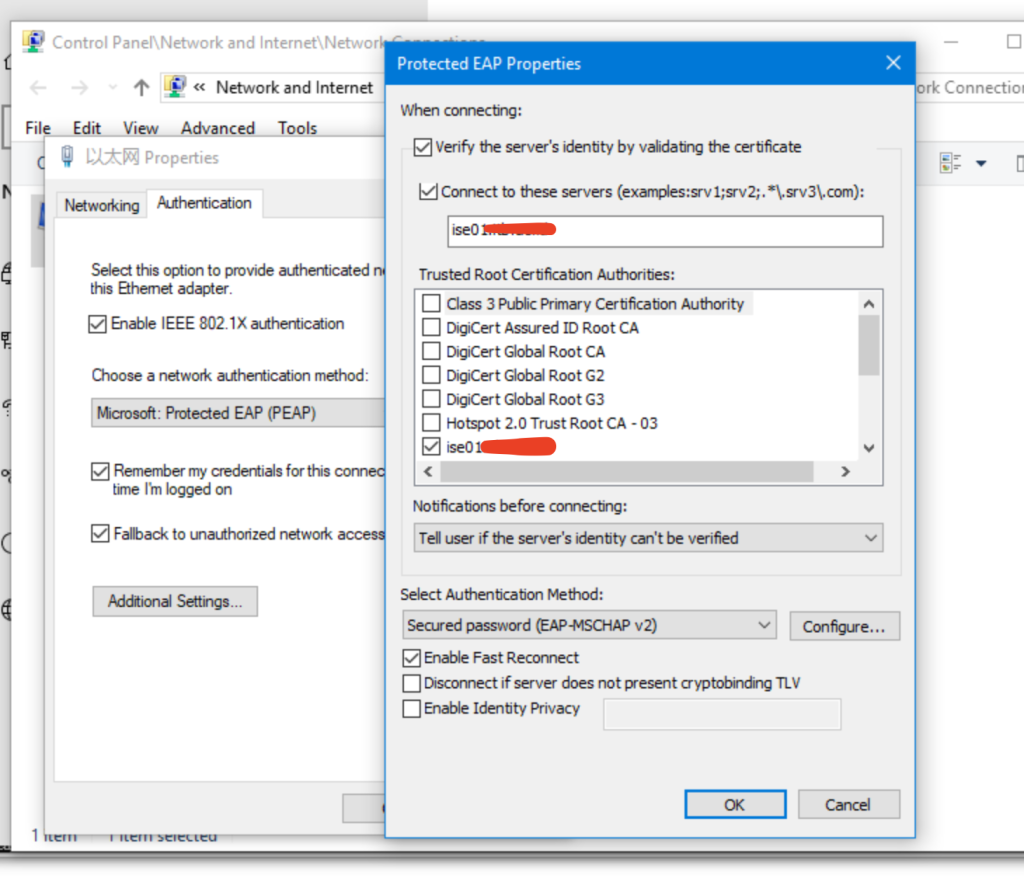
5. enter the username pass for emp1 and we can get ip address vlan 500.
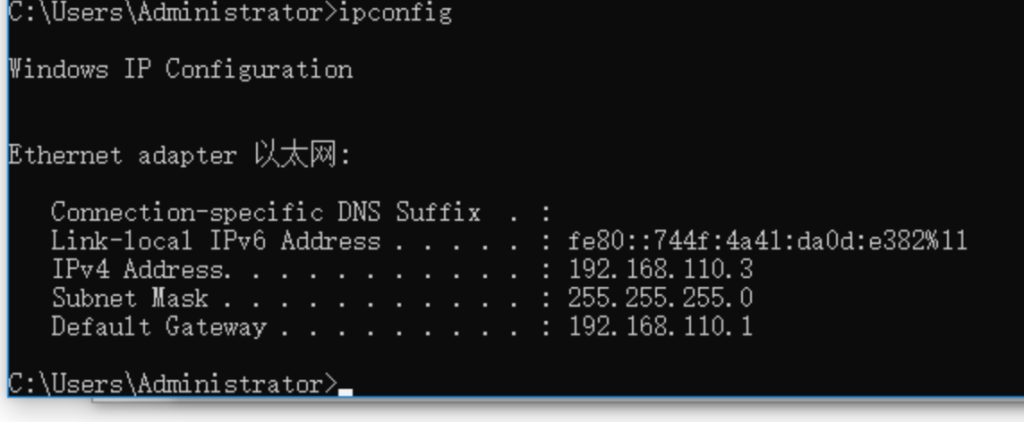
Verifications
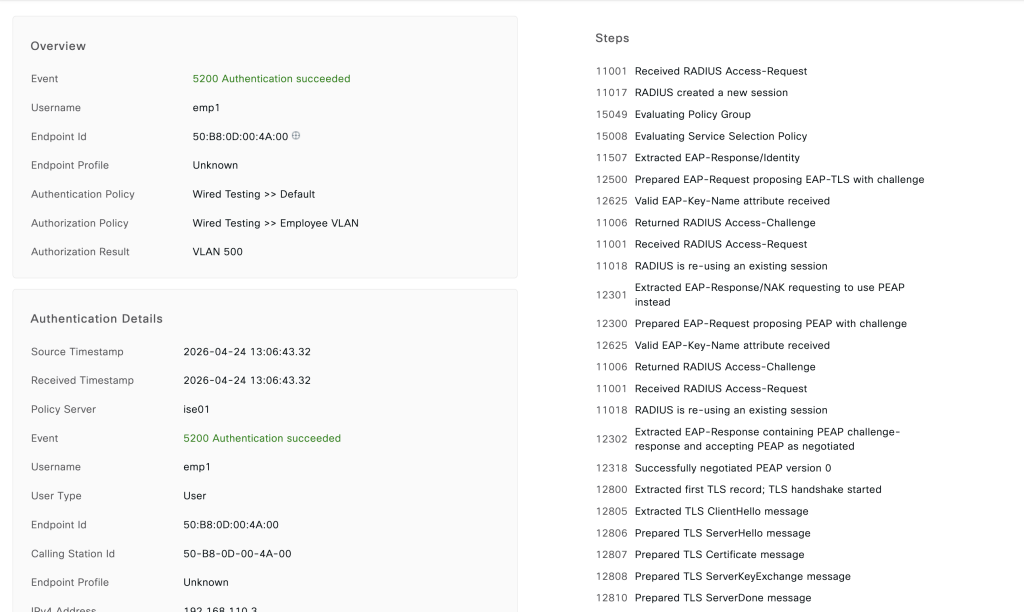
- we can check both of ISE and Switch, from switch we can use this command
show authent int eth 0/2 details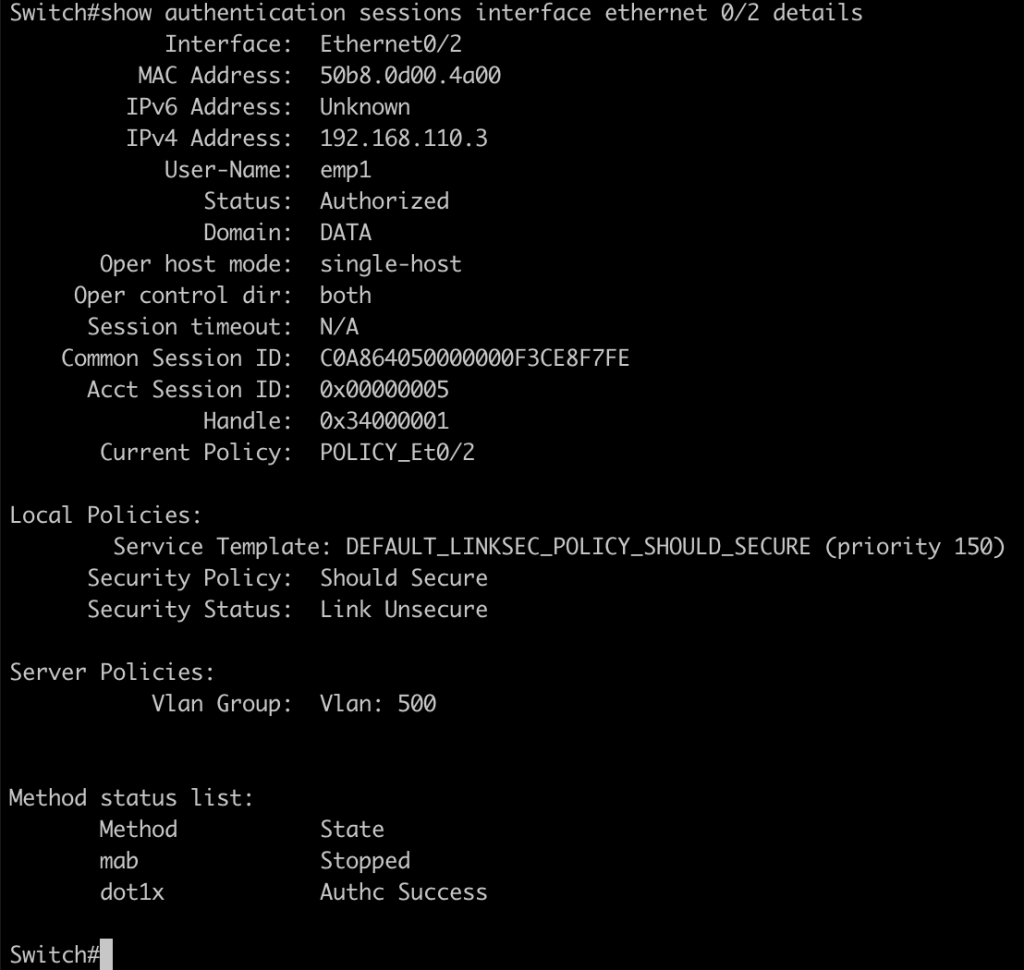
2. From Cisco ISE we can the log lives radius server