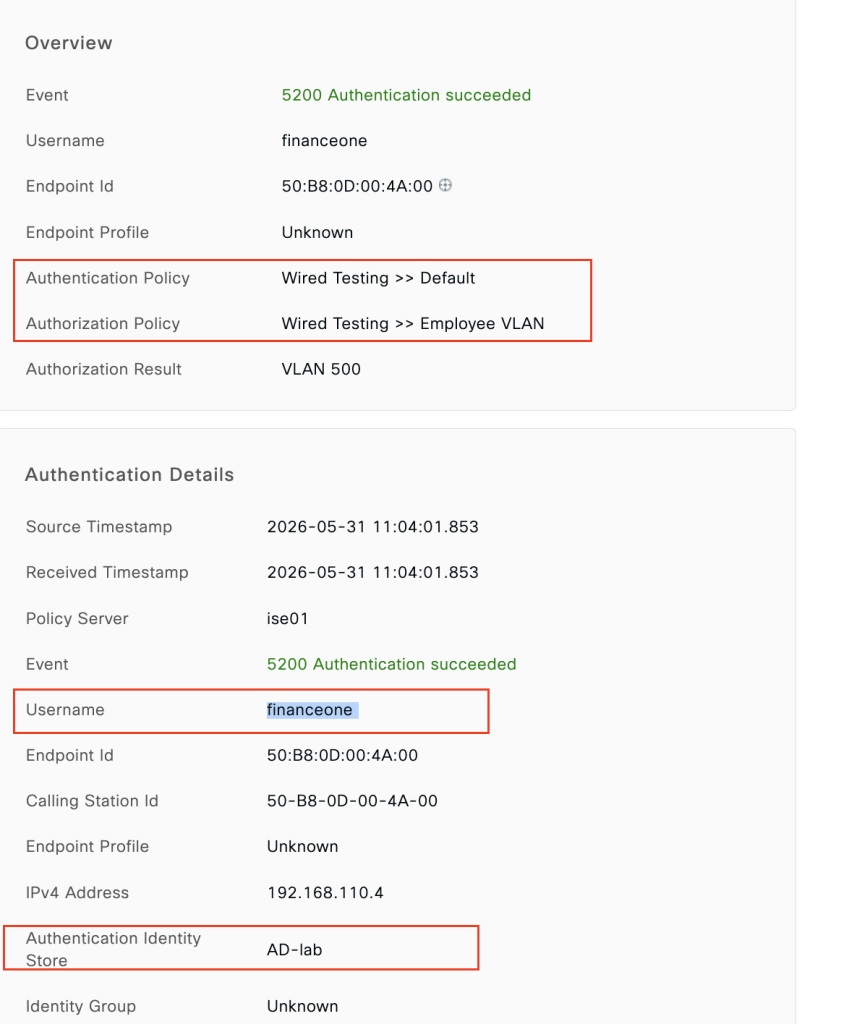
Overview
The most commonly used Identity Store
- ISE integrates with AD very well
- Native Windows client capabilities
- Allows to easy distinguish corporate from non-corporate assets
Configuring AD prerequisites
- Time synchronization
- Integration
- Work Centers -> Network Access -> Ext Id Sources -> Active Directory
Topology
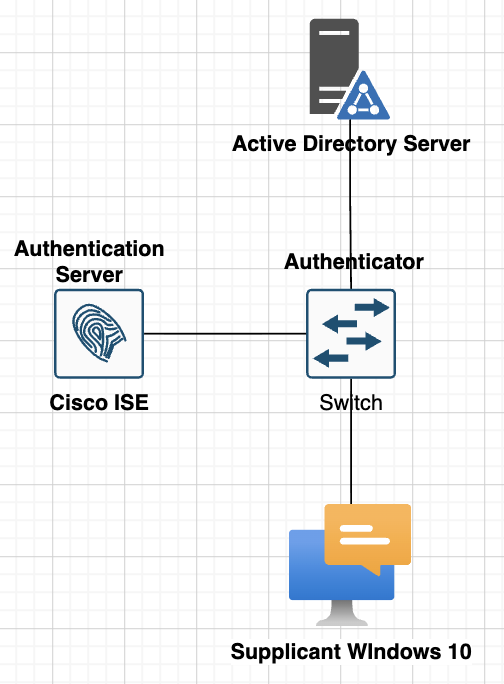
Testing Scenarios
- configure AD directory with cisco ISE
- AD domain: iselab.local
- fetch group finance
- test login with user from group finance username: financeone
- Make sure user finance can login from windows 10 using 802.1x
- Make sure time is synchronize between AD and ISE
Configuration
1. Integrate ISE to AD
- Go to menu : Work Centers -> Network Access -> Ext Id Sources -> Active Directory
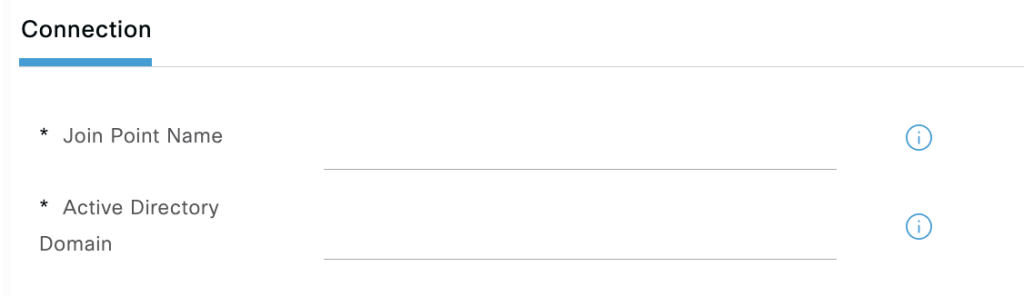
name: My AD server
active directory domain: iselab.local
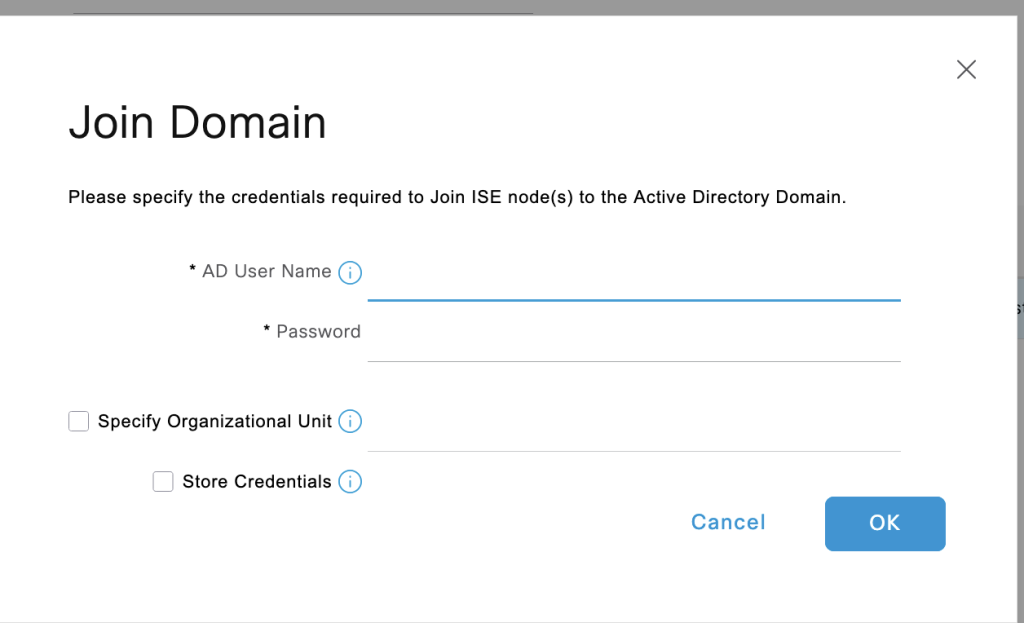
2. click join and enterusername password administrator AD to join.
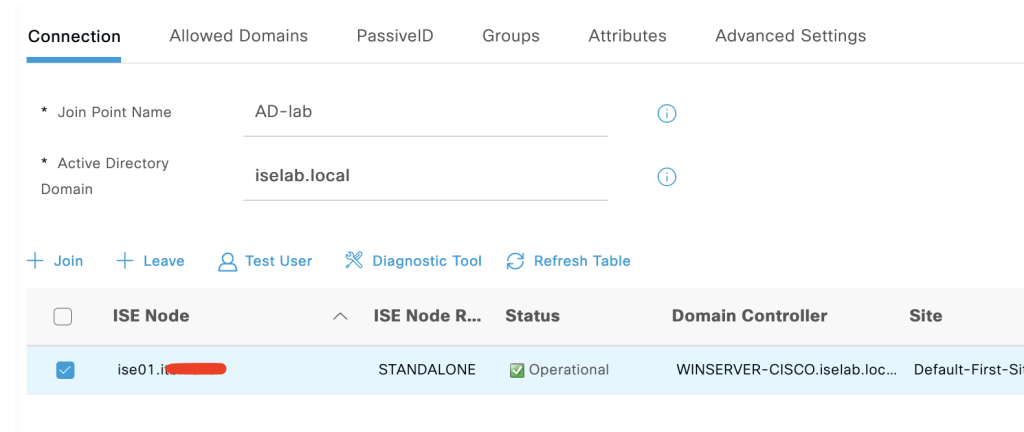
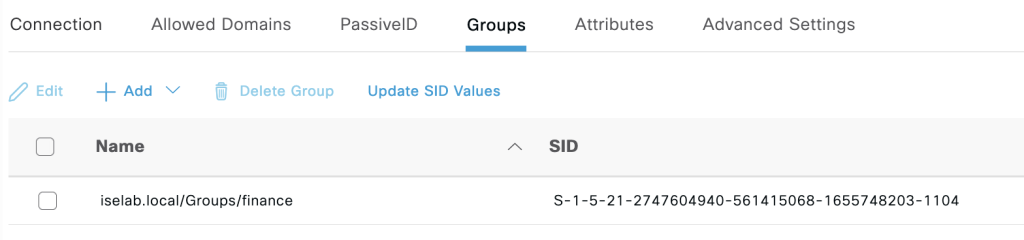
3. fetch group finance from AD by click add.
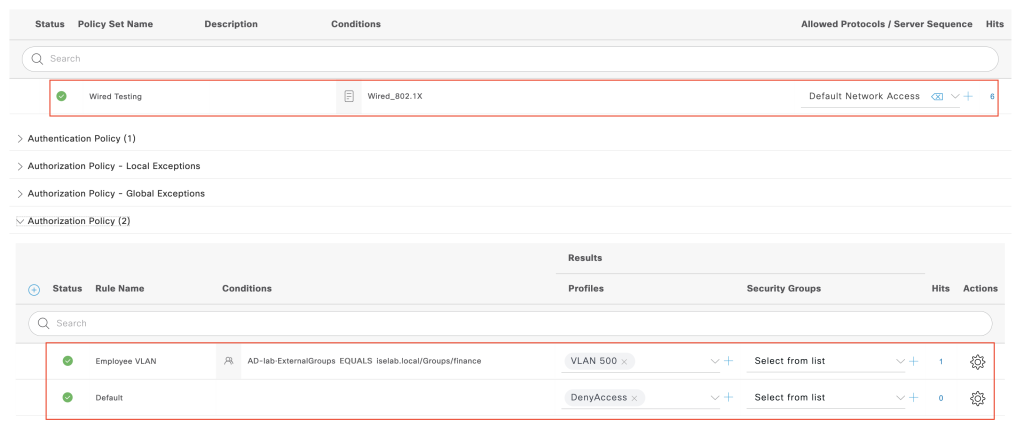
2. Create policy
- create policy to allow user from group finance login via 802.1x. Go to Policy set to create new policy.
3. Configure switch to enable 802.1x
## enable AAA
aaa new-model
aaa authentication dot1x default group radius
aaa authorization network default group radius
aaa accounting dot1x default start-stop group radius

## coa configuration
aaa server radius dynamic-author
 client 167.205.196.79 server-key cisco123
aaa session-id common

## radius attribute
radius-server attribute 6 on-for-login-auth
radius-server attribute 8 include-in-access-req
radius-server attribute 25 access-request include
radius-server host 167.205.196.79 key cisco123

## enable dot1x globally
dot1x system-auth-control

# enable dot1x on interface facing windows 10
interface Ethernet0/2
 switchport mode access
 authentication event fail action next-method
 authentication order dot1x mab
 authentication priority dot1x mab
 authentication port-control auto
 mab
 dot1x pae authenticator
 dot1x timeout tx-period 10
 spanning-tree portfast edge
!Verification
- enable service 802.1x on the windows client and trust the cert, you can follow this link.
- login with username financeone
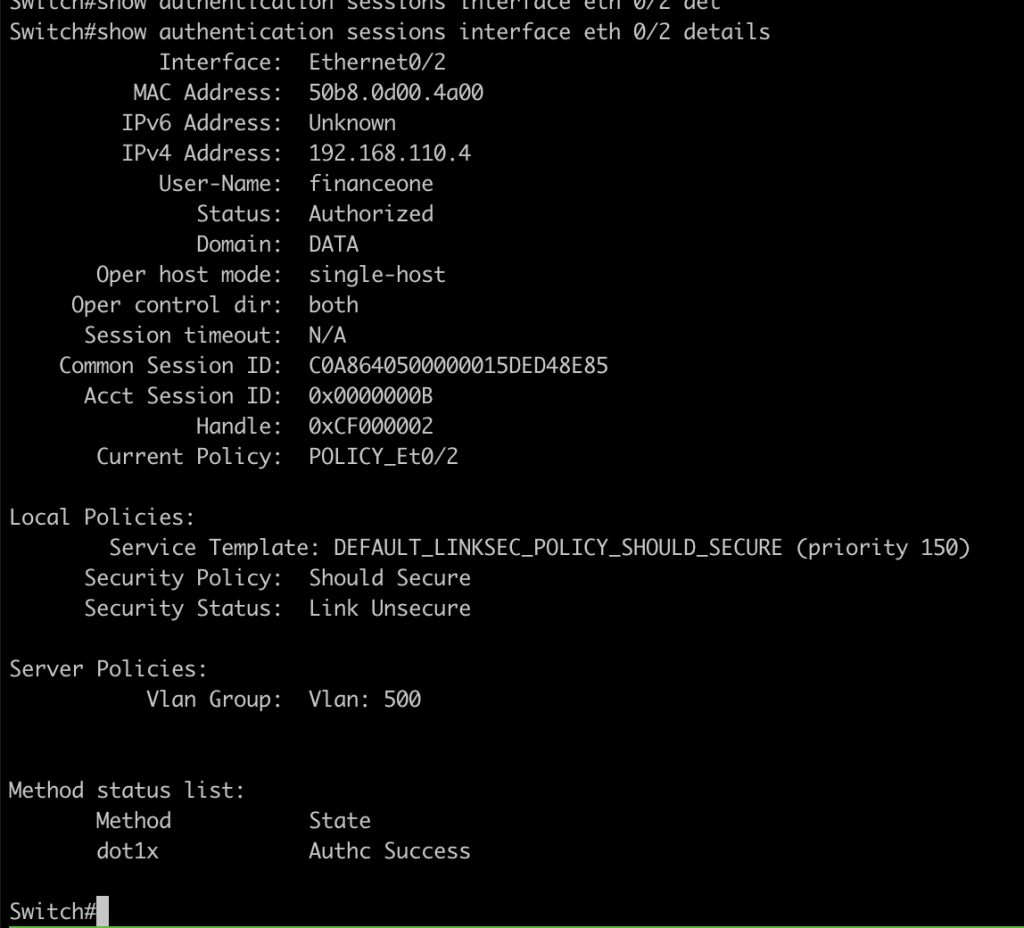
- if the user valid we can verify the session in switch or cisco ise.
switch
Cisco ISE