Overview
Hello everyone this is my first topic for cisco ISE, i want to show you how to configure Cisco ISE as TACACS server and cisco IOS router as a tacacs Clients.
Topology
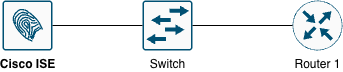
Testing Scenario
- Configure TACACS client on Router 1
- Authorize connections to VTY lines.
- Use ISE1 as a TACACS+ server
- Make sure console connections remain unaffected
- Enable command authorization on Privilege Levels 0, 1, 7
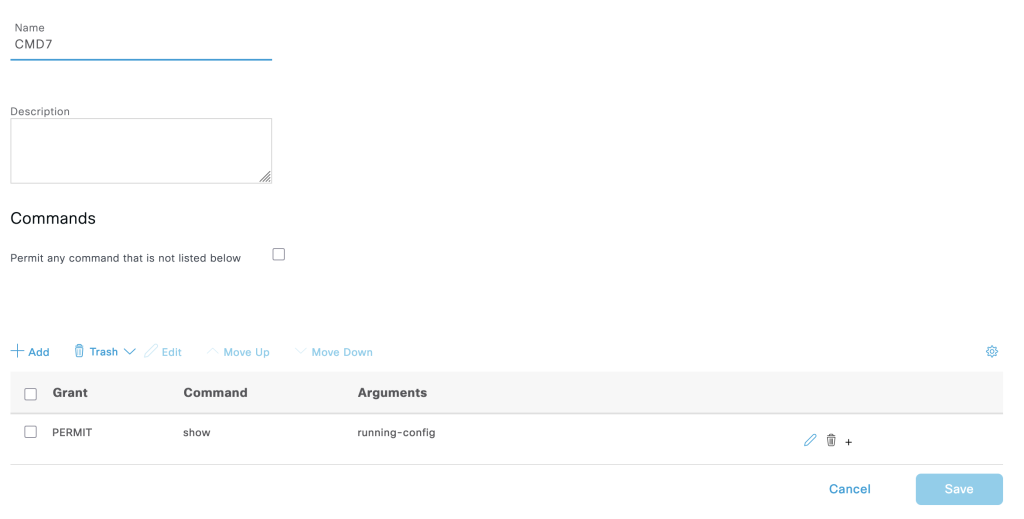
- The privilege level 7 command only “show running-config”
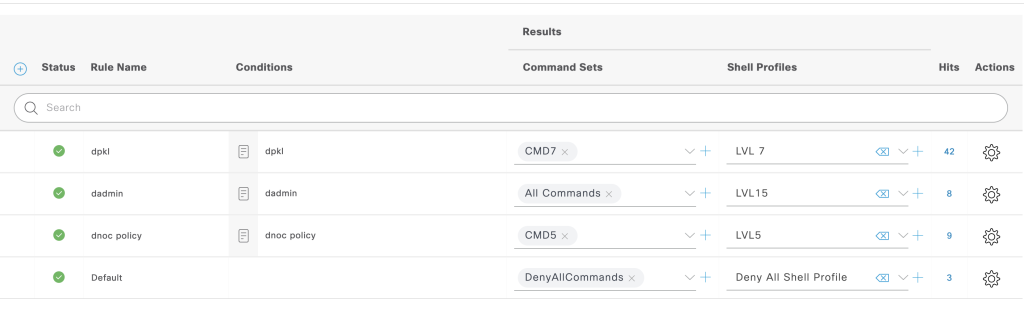
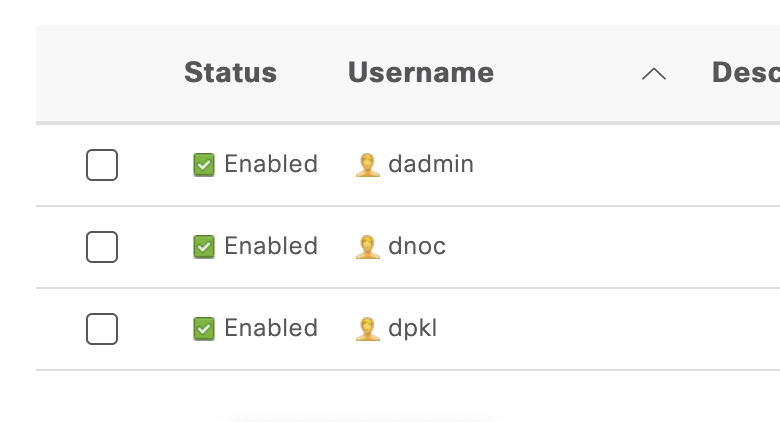
- Create 2 Users for this case
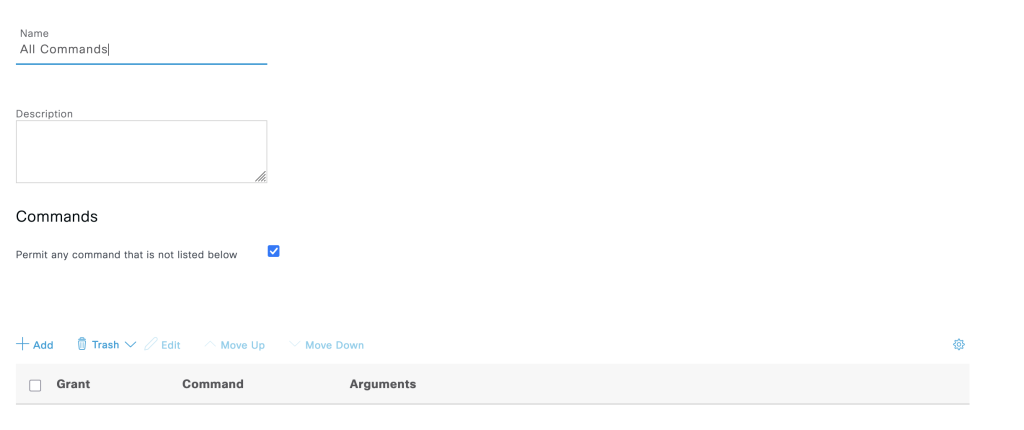
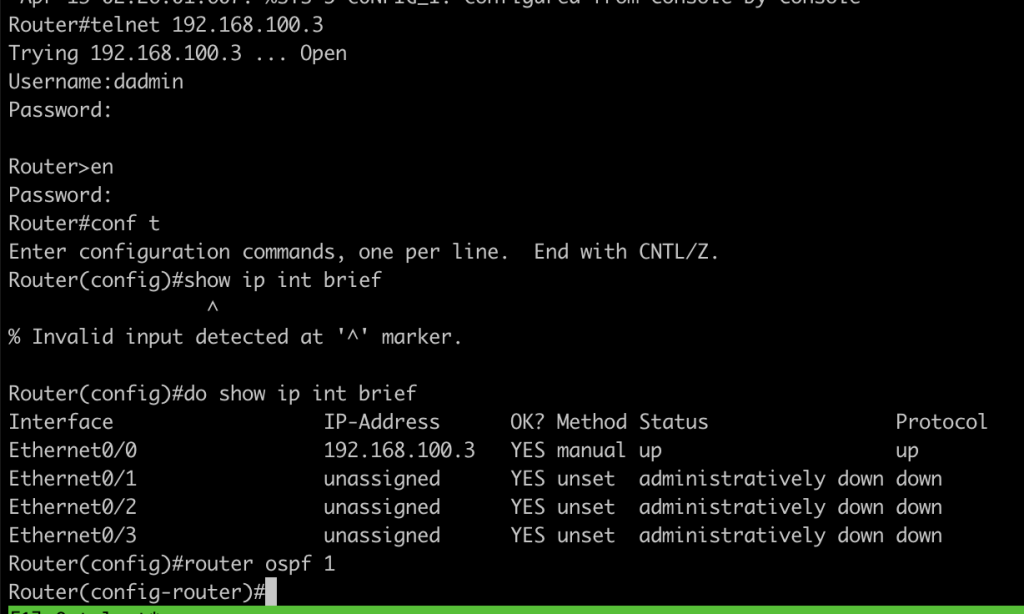
- dadmin authorize to all command
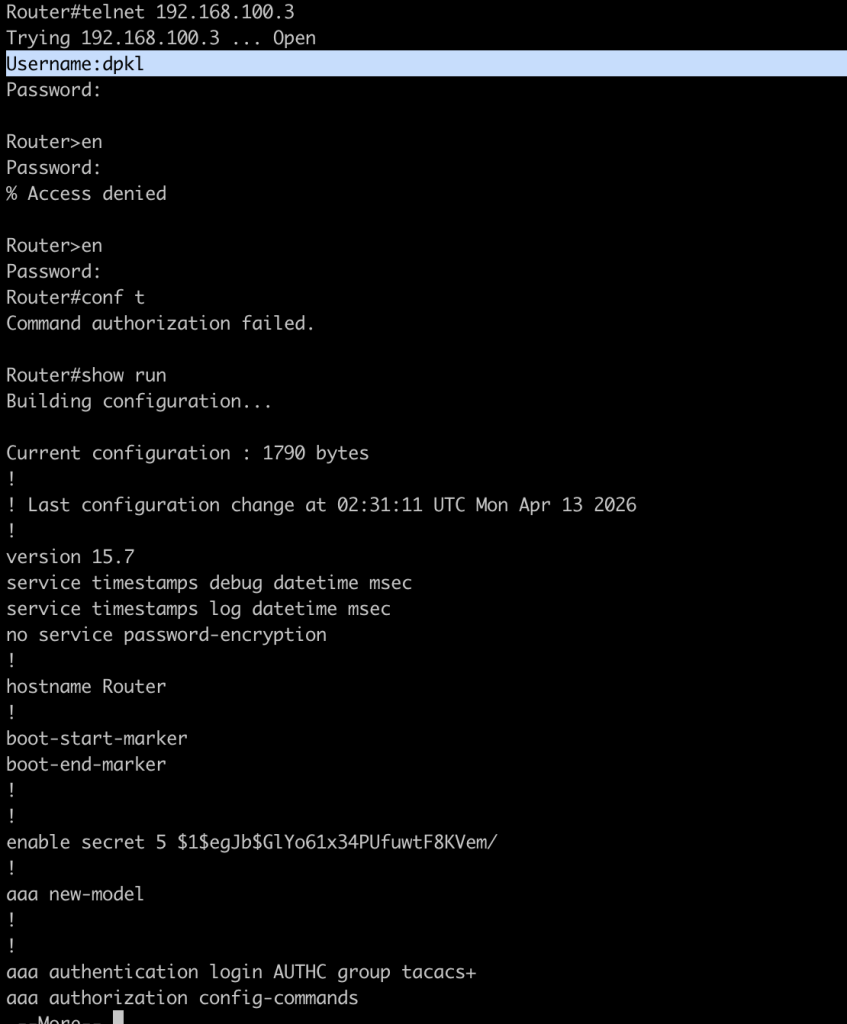
- dpkl authorize to privilege level 7
Configuration
R1
new
# enable aaa on the router
aaa new-model

### define tacacs server
tacacs server ccie-sec
 address ipv4 150.1.7.117
 key cisco
aaa group server tacacs+ ISE-TACACS
 server name ccie-sec


# define authentication method list process
aaa authentication login VTY group ISE-TACACS local none
aaa authentication login CON none


# define authhorization method list process
aaa authorization console
aaa authorization config-commands
aaa authorization exec CON none
aaa authorization exec VTY group ISE-TACACS if-authenticated
aaa authorization commands 1 VTY group ISE-TACACS local if-authenticated
aaa authorization commands 15 VTY group ISE-TACACS local if-authenticated

# define accounting method list for process
aaa accounting exec ccie-access start-stop group ISE-TACACS
aaa accounting commands 1 ccie-access start-stop group ISE-TACACS
aaa accounting commands 15 ccie-access start-stop group ISE-TACACS

# apply the authentication method list to console and line terminal
line con 0
 exec-timeout 0 0
 logging synchronous
 login authentication CON

line vty 0 4
 logging synchronous
 login authentication VTY
 # authorize part
 authorization commands 1 VTY
 authorization commands 15 VTY
 authorization exec VTY
 accounting commands 0 ccie-access
 accounting commands 1 ccie-access
 accounting commands 15 ccie-access
transport input sshCisco ISE
- Enable TACACS service
- Administration -> System -> enable device admin service
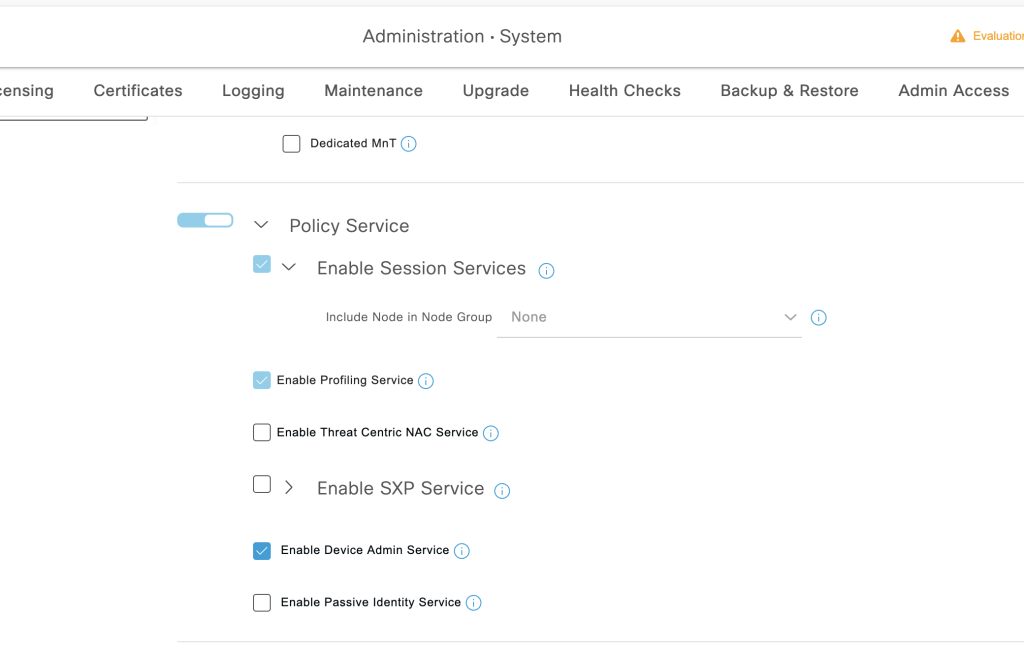
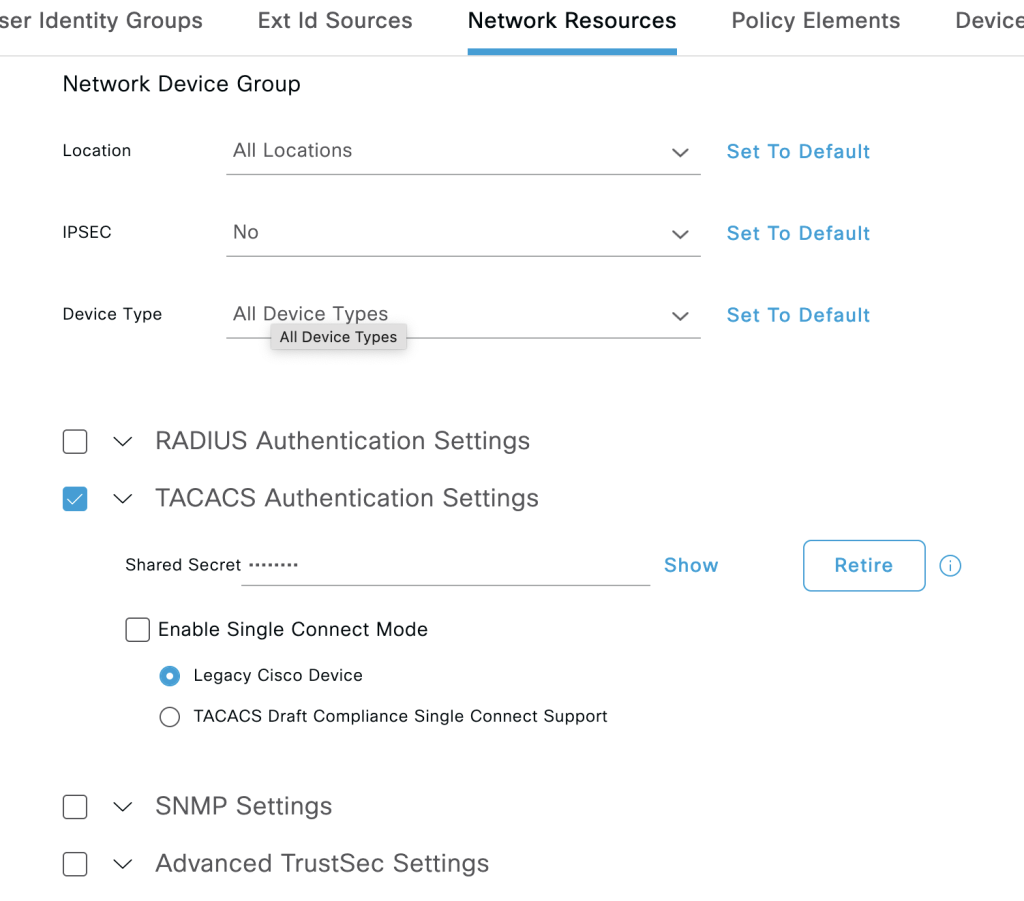
2. Define Device to allow for TACACS
- Devices administration -> Network resources -> add
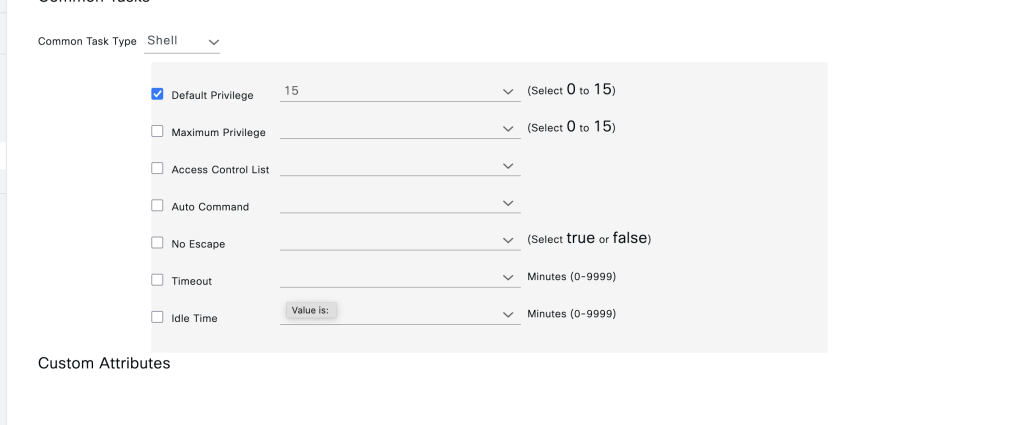
3. Define policy elements
- Device administrator -> Results -> Tacacs Profile
Level 15
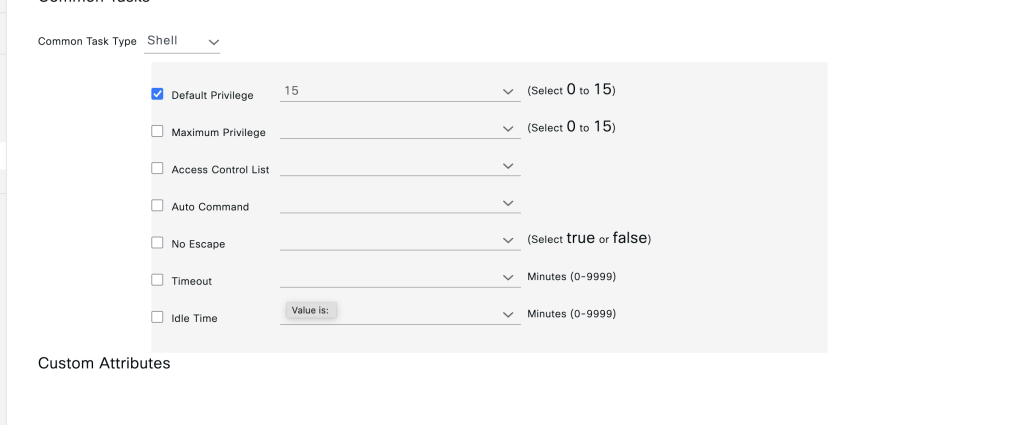
Level 7
4. Define TACACS command set
Level 7
Level 15
5. Define Policy set to authorize both of commands
5. Dont forget to create user local
Device Administration -> Identities
Verification
Dadmin User
- Try to login with user dadmin, this user should get access to all commands
Dpkl user
- try to login with user dpkl this user and get access to show running command
Conclusions
- With tacacs we can centralized user for AAA purposes
- TACACS in ISE also can limit certain command for specific users.