
Overview Cisco WSA
- Powerful product for all in one network security.
- if you want to url filtering, malware protection or user insight applications
- application visibility and control
- Provide Data loss preventions.
- advanced malware protections.
- protect roaming users.
- it protect users data when accessing from vpn or from internal network.
- Cognitive Threat analysis.
WCCP
WCCP (Web cached communication protocol) specifies interaction between one or more routers or layer 3 switches and one or more web caches.
Purpose for WCCP.
- establish and maintain the transparent redirection of selected types of traffic flowing trough group of router
- the selected redirected traffic to group of web caches with the aim of optimizing resource usage and lowering response times.
- minimum requirement of using WCCP with WSA is: 2 interface or sub-interface , not secondary address.
Topology
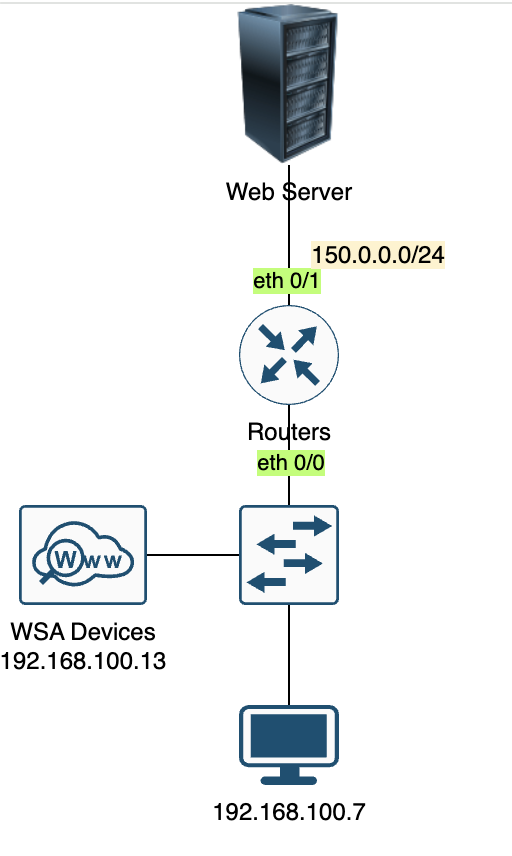
Scenarios
- configure router and WSA to use WCCP for redirecting traffic from user to the webserver.
- Make sure port 80 and 443 is redirected to the WSA devices.
- Verify the configuriton by accessing the IP address of webserver from 192.168.100.7
Configuration WSA
- Go to the menu network -> transparent rediretion and add WCCP router
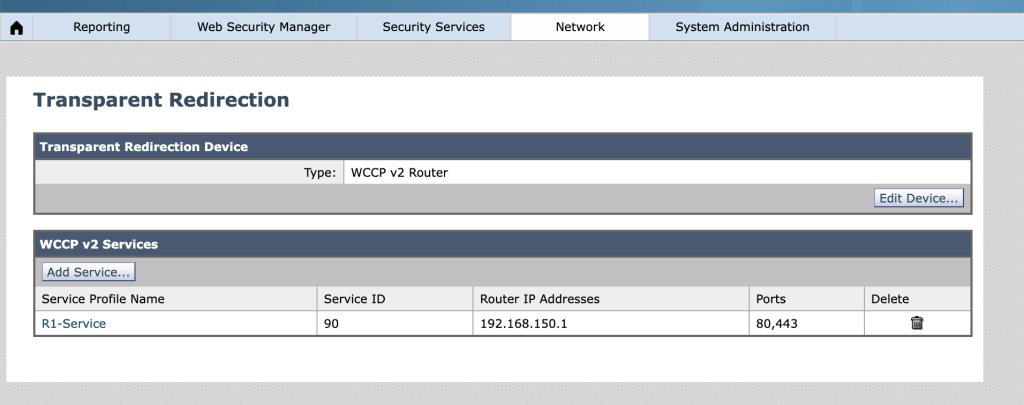
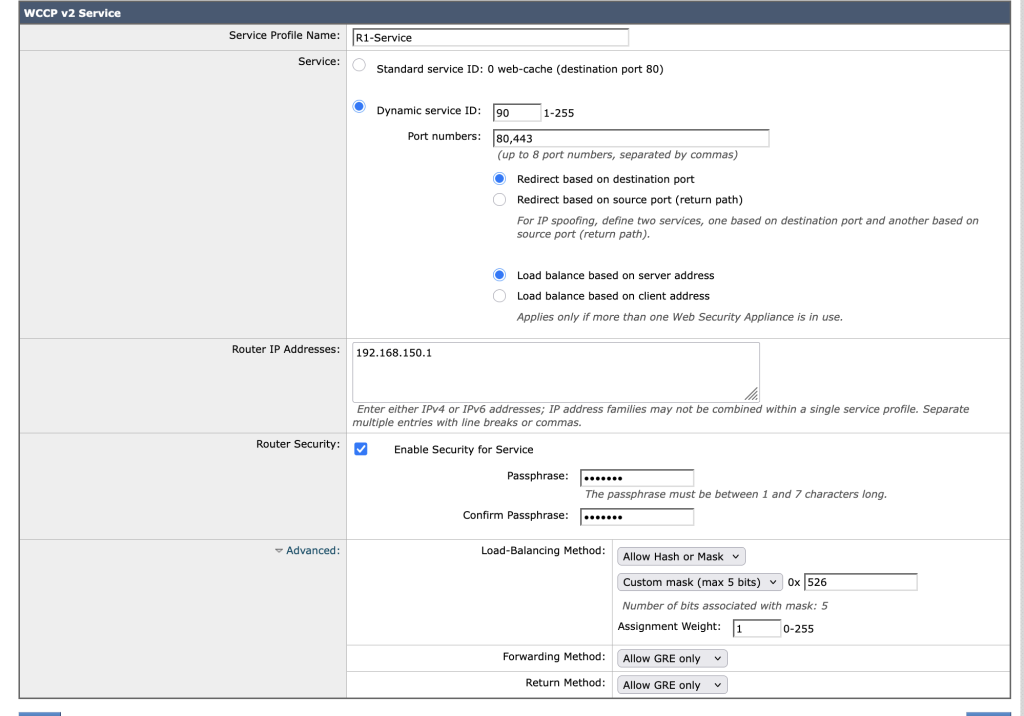
2. Match the service id, ip address of router, password and GRE tunnel mode, dont forget to redirect port 80 and 443.
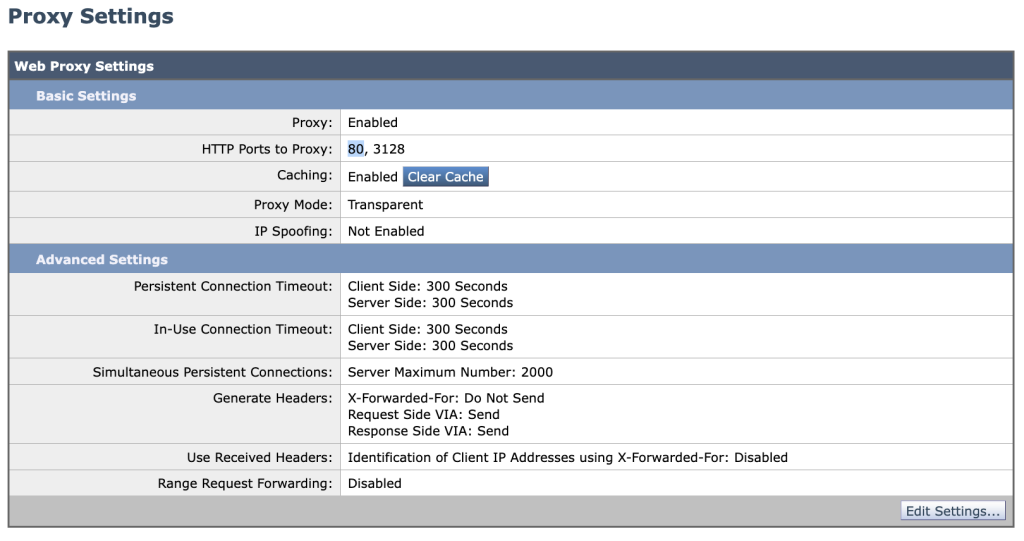
3. enable the port http proxy and https proxy, for https proxy we use self signed certificate and for the action is to monitor the traffic. security services –> web proxy and security service https services.
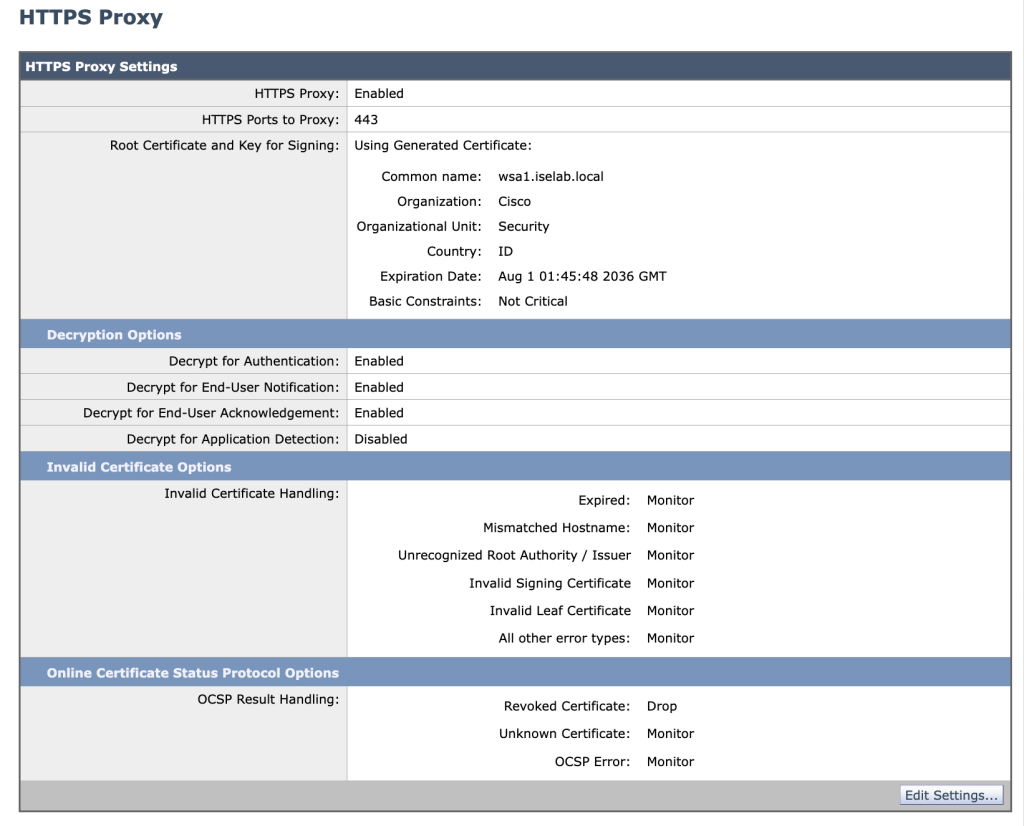
4. commit the configurations to apply the changes.
Configuration Router
# create acl to permit ip WSA
access-list 10 permit 192.168.100.13
# create acl to permit traffic 80 and 443 to match the traffic
ip access-list extended Rlist
 permit tcp any any eq www
 permit tcp any any eq 443

# create wccp configuration to redirect all the traffic Rlist to WSA server
ip wccp 90 redirect-list Rlist group-list 10 password 0 cisco
ip wccp source-interface Loopback0


# bind the wccp redirection to the WAN interface
int eth 0/1
ip wccp 90 redirect outVerification of the WCCP
Router Devices.
show ip wccp all
show ip wcpp 90 detail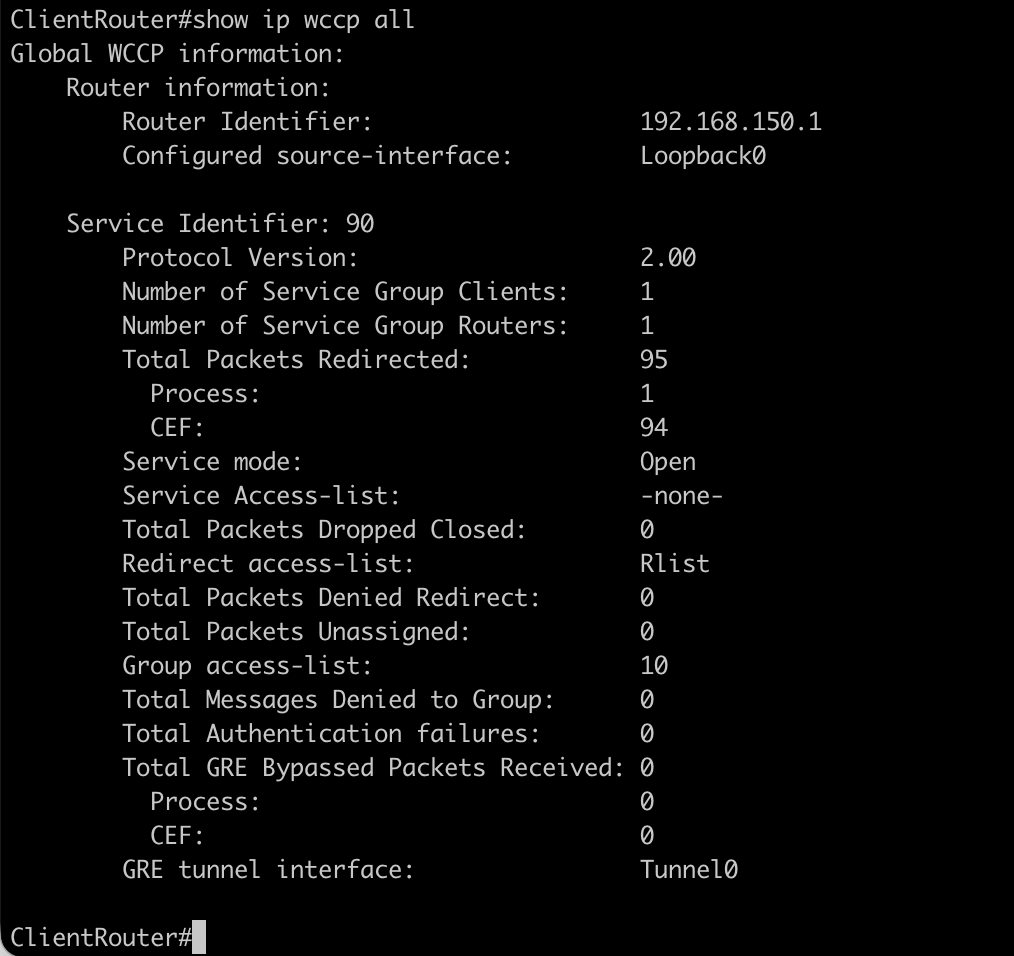
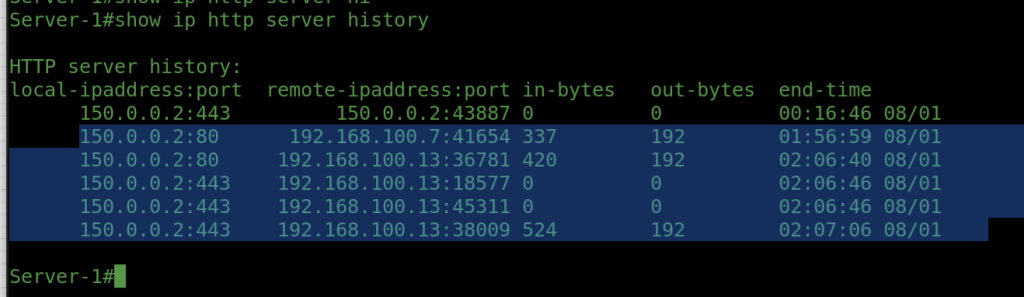
before using proxy/wsa service
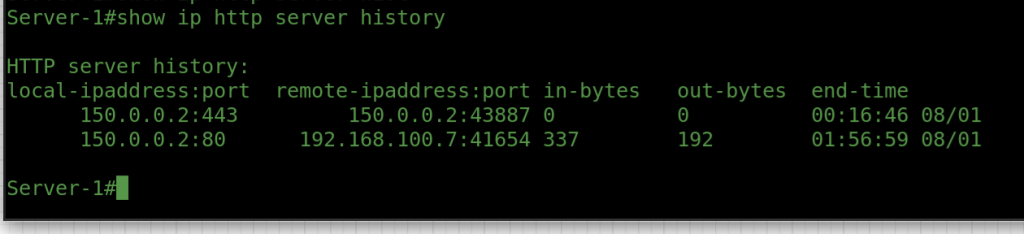
Access the website of Server 1 using http://150.0.0.2 and https://150.0.0.2
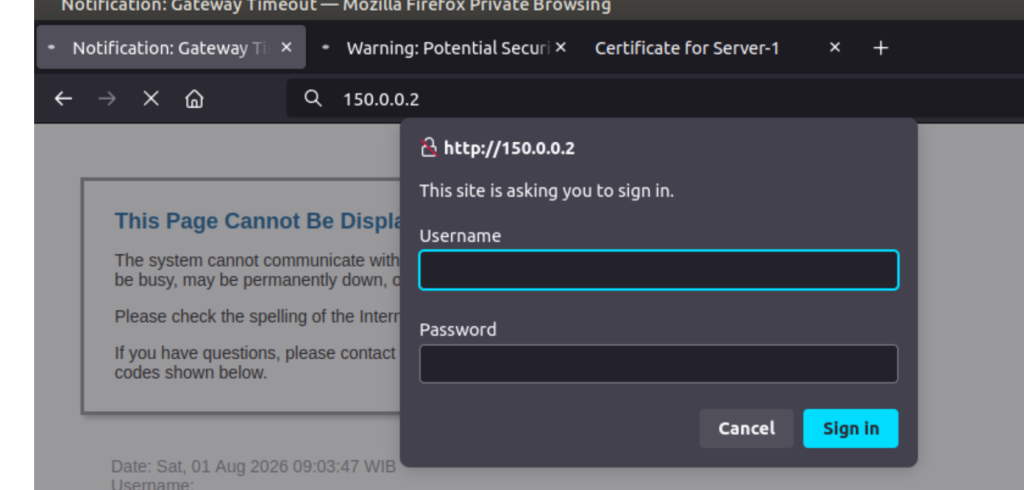
after apply the configuration all the traffic is from wsa/proxy.
Conclusions
- with cisco WSA we can proxy traffic user to the internet or outside.
- WCCP will help us to redirect traffic from router the WSA for policy inspections.
- please make sure to configure route from WSA to the internet .