
Overview
- WSA have a function to block url based on categories, we can the url categories in cisco talos website talos : https://www.talosintelligence.com/reputation_center
- WSA have built-in categories URL to block or allow some domain.
- Cisco WSA can block file such us .exe file, zip, gz file with Object policies.
- URL Agent policy: if we want to filter browser access from the client.
- Application Policy: we can block application based with WSA, please make sure we get latest update application database in menu administrator.
Topology
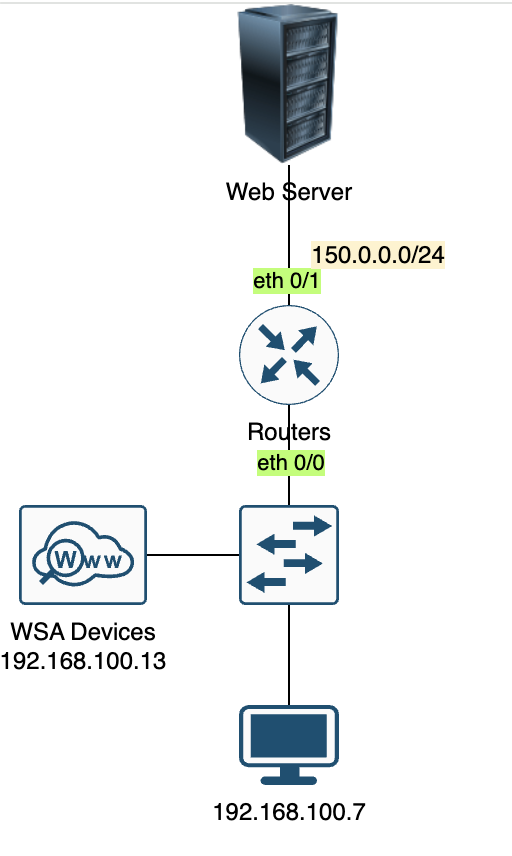
Scenarios
- block xxx.com from all network in cisco WSA
- all access to abc-company.com and xyz-company.com should be blocked.
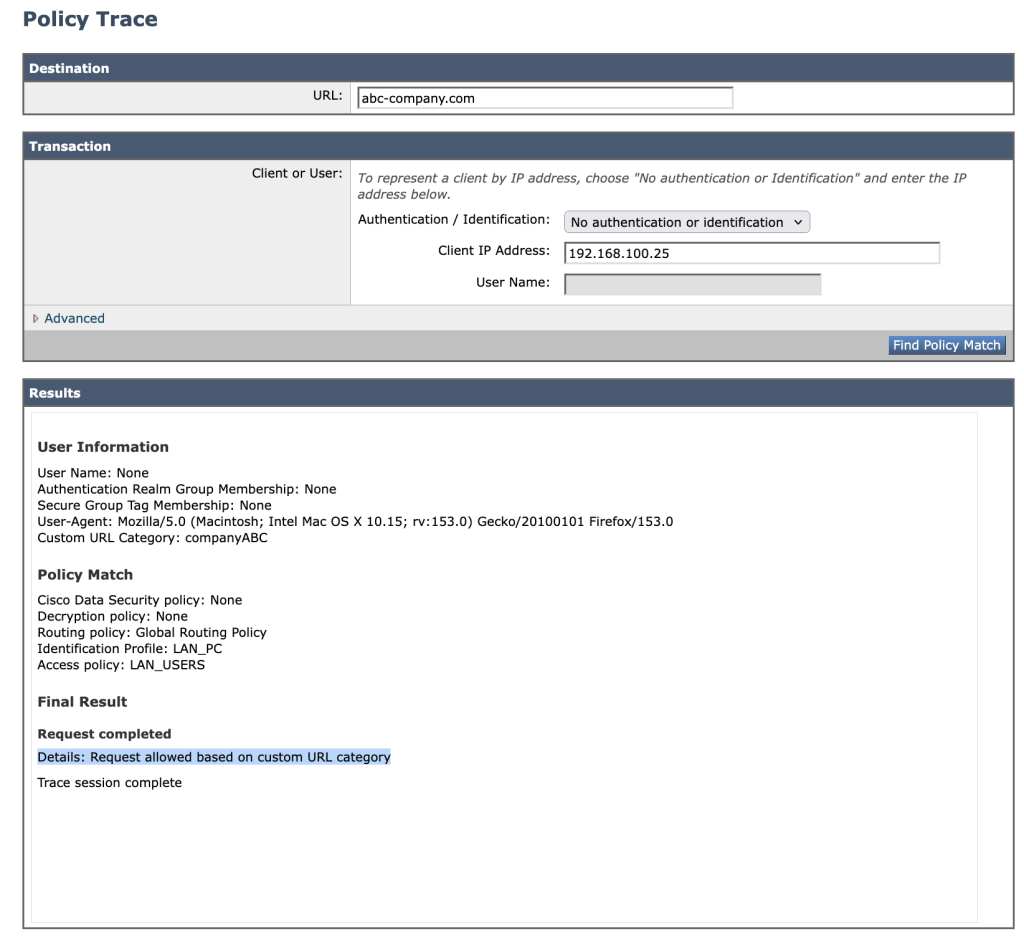
- LAN 192.168.100.0/24 can access abc-company.com but not xyz-company.com
- Host Admin 192.168.100.7 can access both abc-company.com and xyz-company.com
Configurations
- Create fake dns or webserver we can define the WSA to do dns localhost query to hosts file using this command
> dnsconfig
> localhost
> new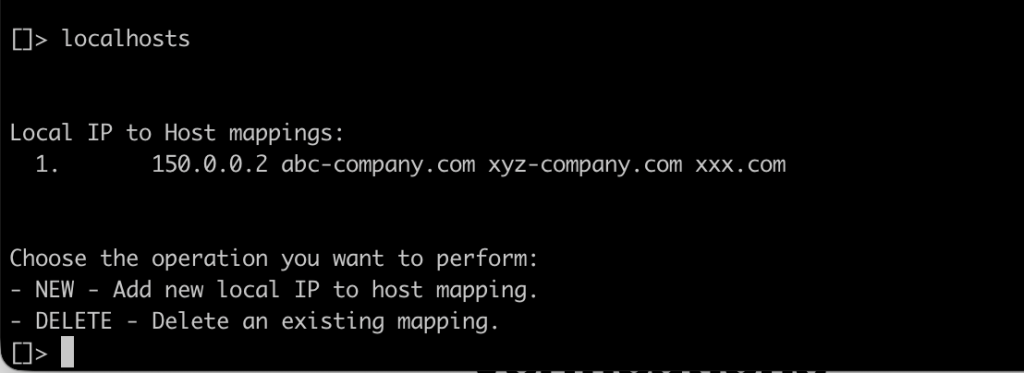
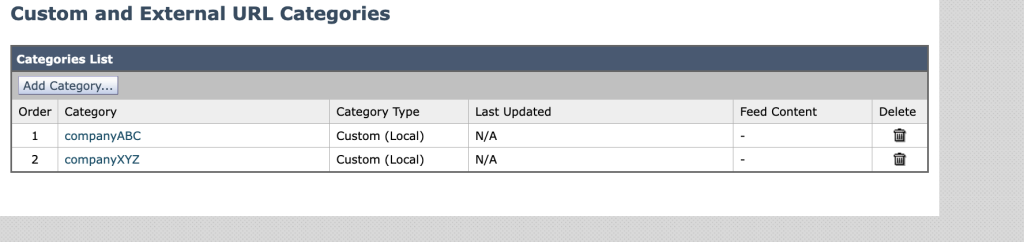
2. create url custom categories for both domain in menu web security manager –> custom and external url categories.
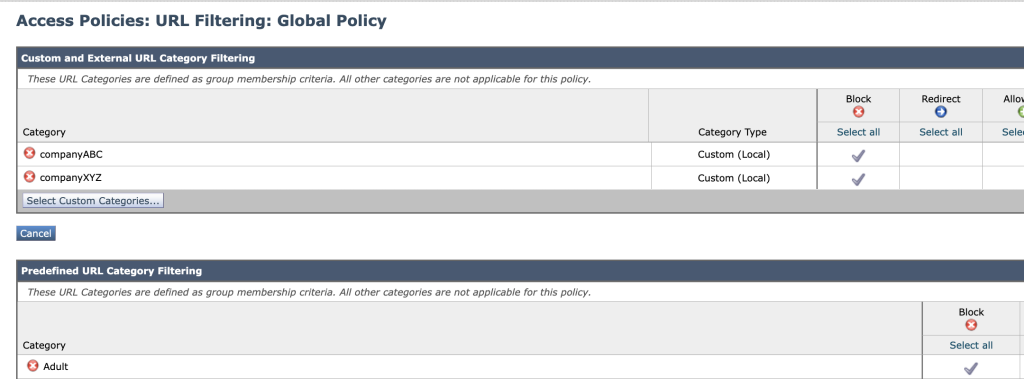
3. modify policy global to block xxx.com, abc-company.com, xyz-company.com, go to acess-policies -> global policy -> url filtering.
4. for scenario number 3 we need to create policy and attach idenity profile to the policy.
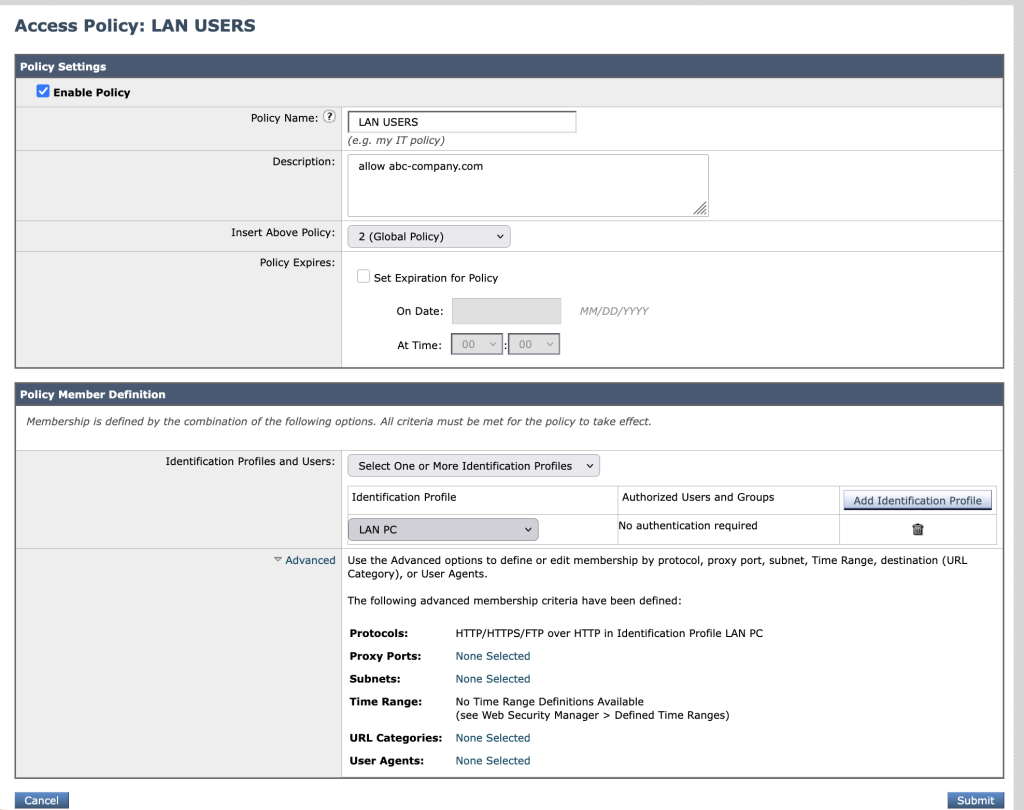
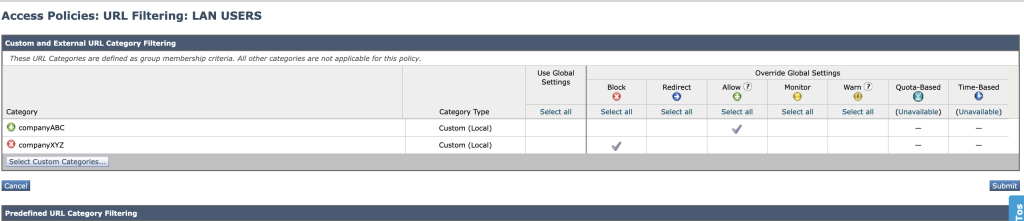
5. Scenario number 4 can be solved with this configuration access policies
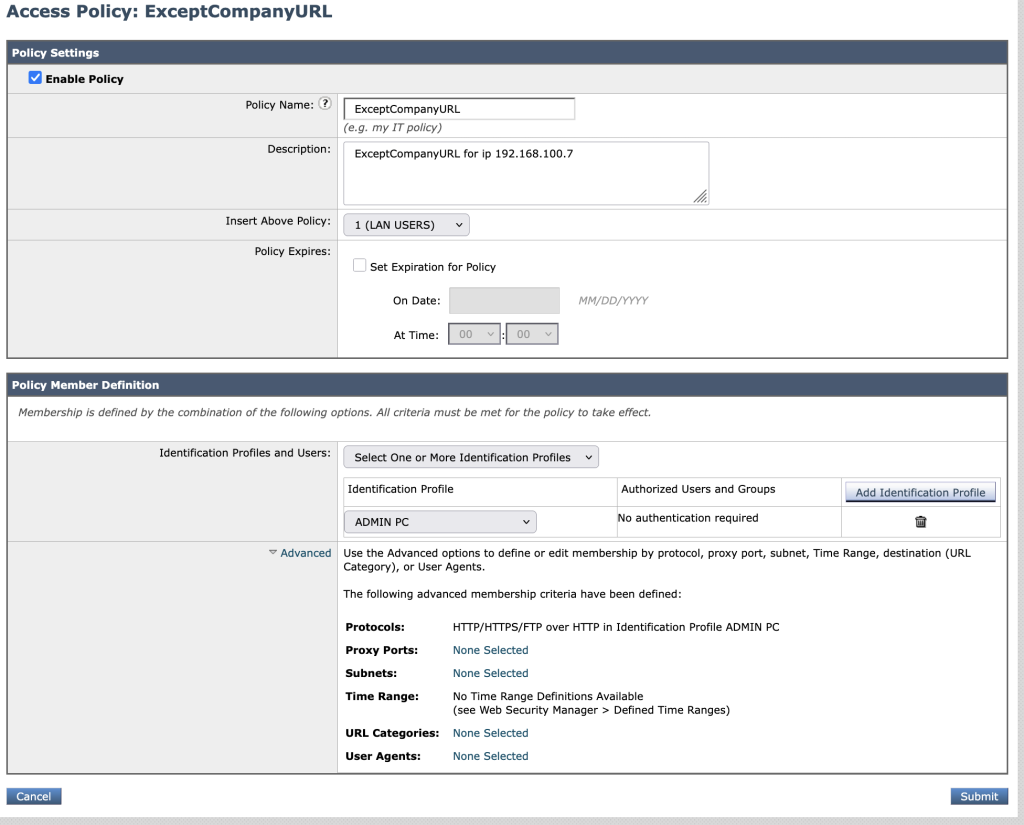

6. commit the configurations.
Verifications
- access xxx.com from every subnet
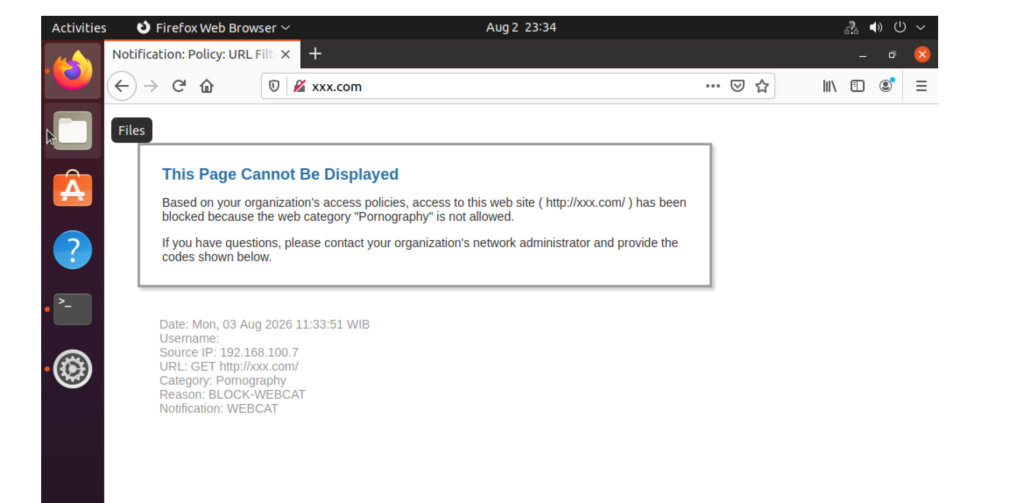
2. for fast verification you can also use tools from WSA in menu system administration -> policy trace
Conclusions
- we can create custom url in wsa to block the url and allow except the url.
- to make easier for the policy use create identity profile and attach in access policiy.