
Overview
Overview TrustSec
you can check the overview trust on this site https://fakihblog.com/2026/06/24/cisco-ise-how-to-configuring-trustsec-with-ios-device/
Overview Cisco ASAv Trustsec
- Cisco ASA doesnt support EAP-FAST for authentication PAC.
- we need to manually generate PAC and import the ASA devices.
- cts import pac
- ASA cannot use or download SGACLs.
- only part of environment data is downloaded (only sgt-id and name is downloaded.)
Topology
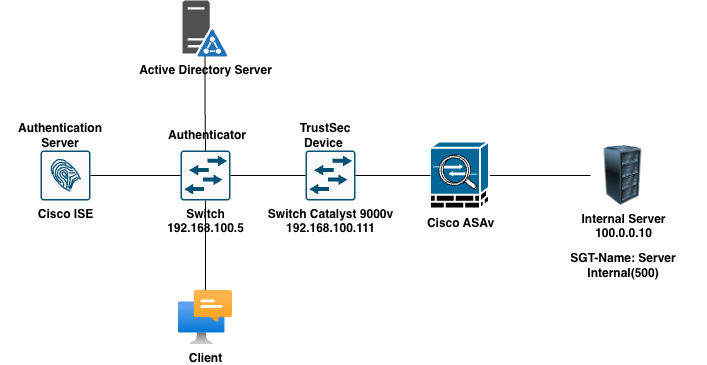
Network Devices for the Lab
- Cisco Catalyst 9000v
- Cisco ISE 3.1
- Cisco IOL L2.
- Cisco ASAv 9.5(3)9
Scenario
- Configure TrustSec components on ISE1
- Configure SGT for Finance (16) and HR (3)
- Integrate ASAv with ISE for TrustSec
- SW1 & ISE are preconfigured for basic communication
- Download the PAC file from http service and make sure all environment variable ist read by ASAv.
- configure SGACL for department.
- both finance and HRD will be place in vlan 500 profile
- finance: allow only icmp and www to the internalSever security group 500.
- HRD: allow only port 23 to server internal and log the traffic to the console
- Verification all the task using Client PC.
Configuration
Cisco ISE
- add the cisco ASA to the network devices ISE and generate the PAC file.
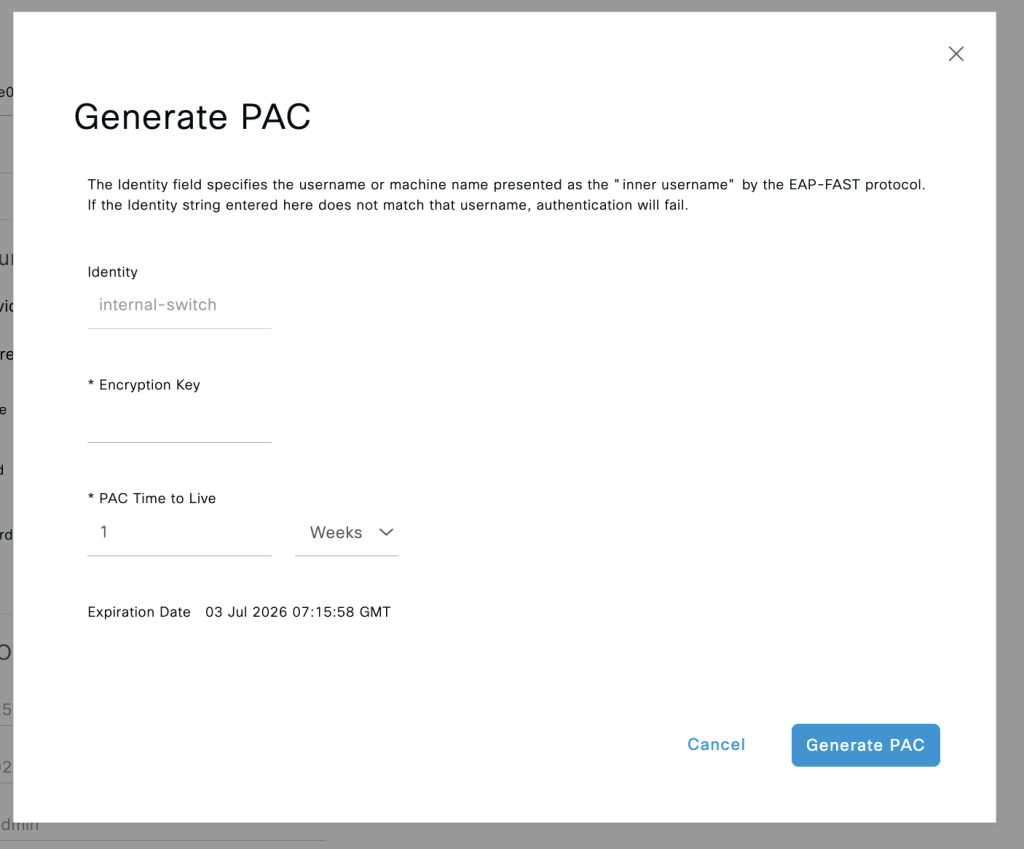
2. to get detail configuration create security group in ISE you can refer to the previous blog. https://fakihblog.com/2026/06/24/cisco-ise-how-to-configuring-trustsec-with-ios-device/
Cisco ASAv
- enable AAA radius service
aaa-server ISE protocol radius
aaa-server ISE (inside) host 167.205.196.79
key cisco1232. download pac file and import the systems
cts import-pac http://192.168.100.1/ASA1.pac password cisco1233. contact the server radius and make sure we can communicate with ise and get the envionment data
cts server-group ISE
show cts pac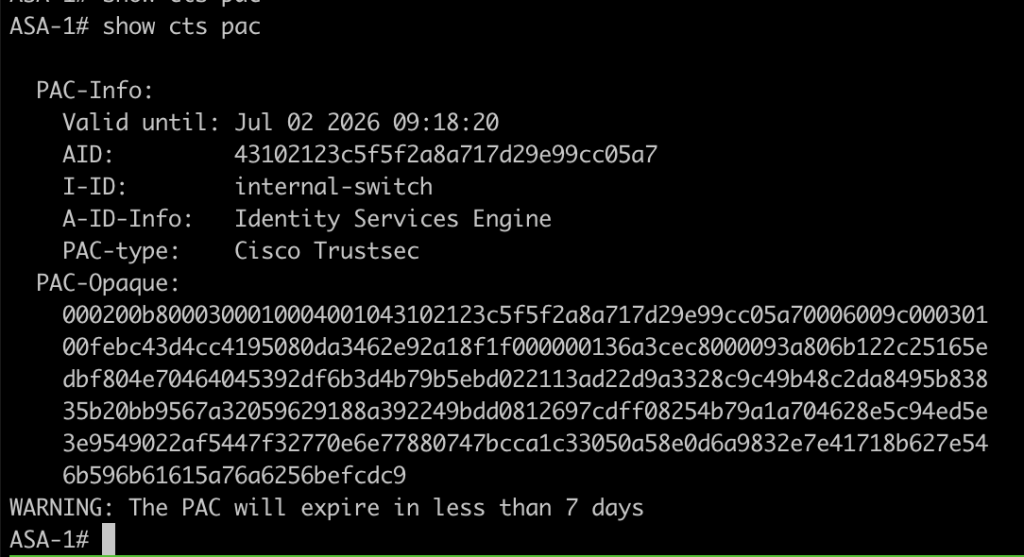
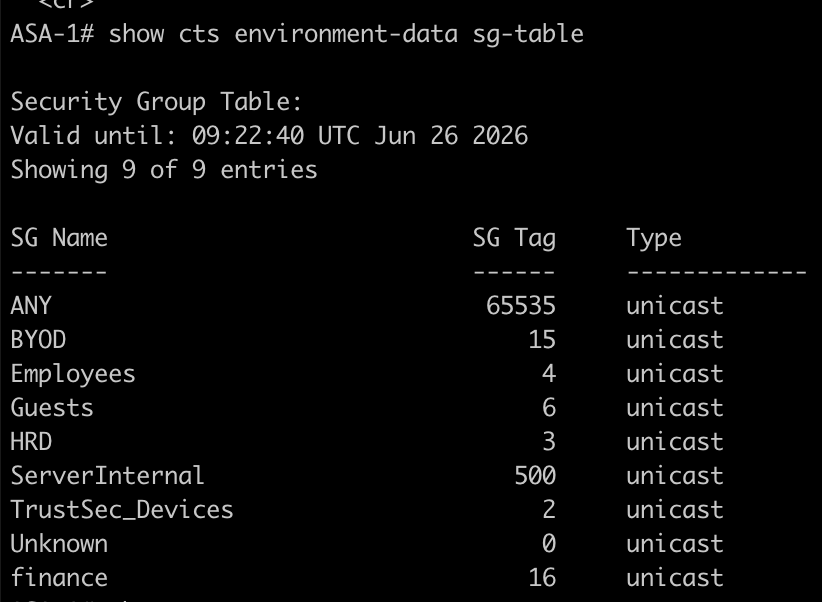
4. configure static sgt-map for the server internal
cts role-based sgt-map 100.0.0.10 sgt 5005. Make sure the Switch1 and ASA can exchange the informaton of sgt using SXP, here the configuration
cts sxp enable
cts sxp connection peer 192.168.100.5 password none mode local listener6. verify the sxp in ASA with this command
show cts sxp connections brief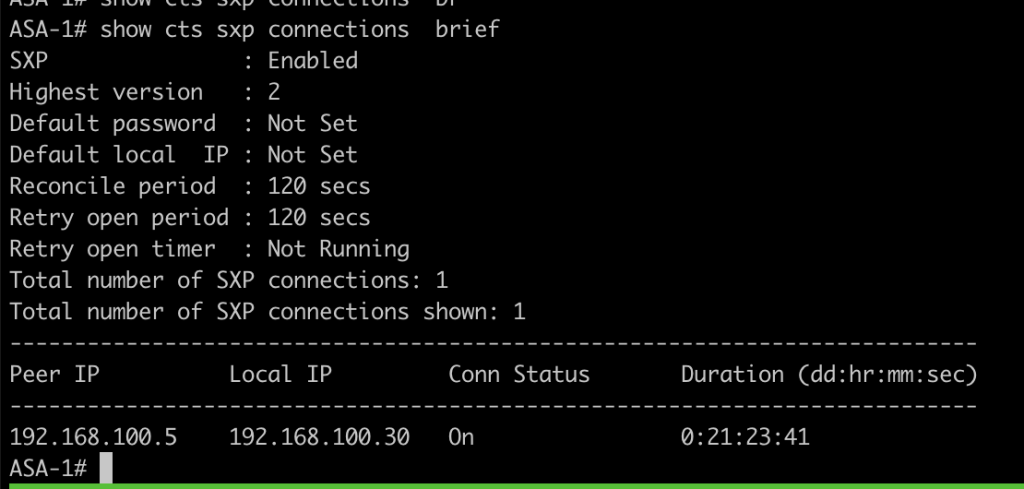
7. create rule access list with sgt as the variable to create the rules
access-list INSIDE_IN extended permit icmp security-group name finance any security-group name ServerInternal any log
access-list INSIDE_IN extended permit tcp security-group name finance any security-group name ServerInternal any eq www log
access-list INSIDE_IN extended permit tcp security-group name HRD any security-group name ServerInternal any eq telnet log8. attach the rule to the interface
access-group INSIDE_IN in interface inside9. Default policy for icmp traffic is drop for return traffic from ASA we can disable this behavior with class map
class-map inspection_default
 match default-inspection-traffic
policy-map global_policy
 class inspection_default
  inspect icmp
inspect icmp errorVerifications
- Testing using finance user login via dot1.x.
- the goals is allow icmp, www and drop anything.
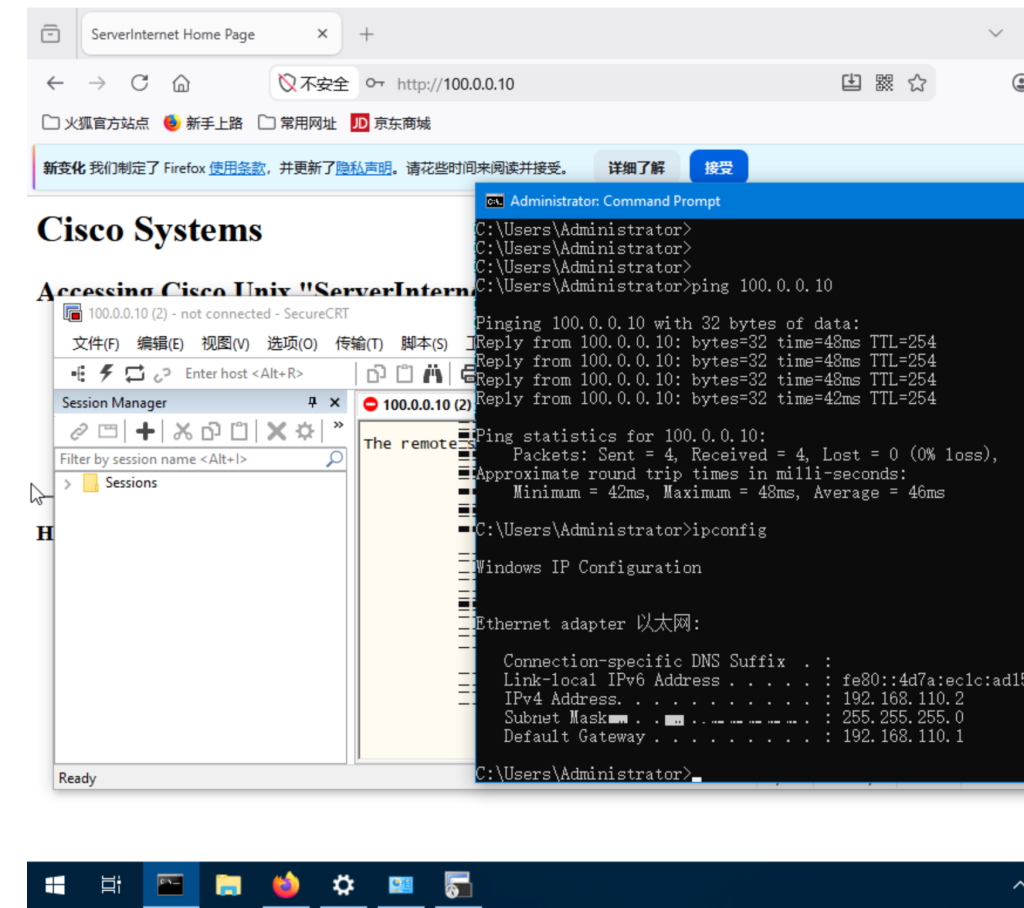
2. Testing using HRD users user via login dot1x
- the goals is to allow only telnet
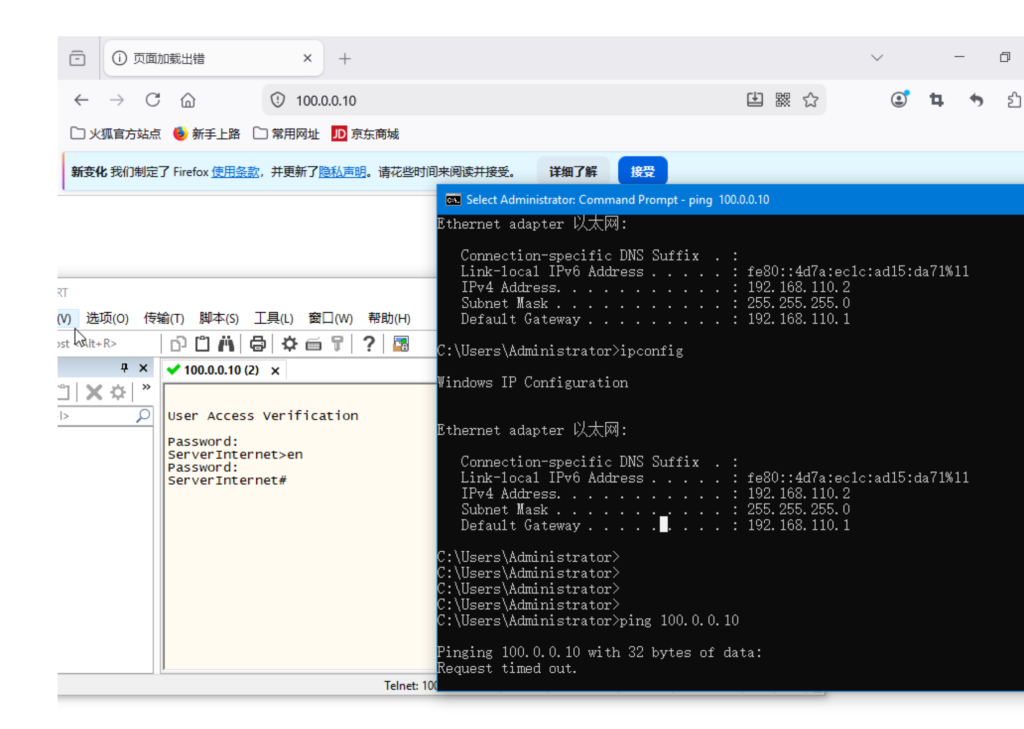
as you can see from both of the picture above even we have same ip address the rule or policy is differenct. we can also check the access list counter is increase.
show access-list
Conclusion
- if we want to configure trustsec in ASA device we need to manually download the PAC because ASA doesnt support EAP-FAST.
- The SGACL from ise cannot be downloaded in ASA, and we must configure via access list in the ASA devices.
If you found this useful, subscribe to newsletter