
Overview
Last night i was restart my jenkins server production, unfortunetly my college in the morning said there are many missing jobs when login to the jenkins web page.
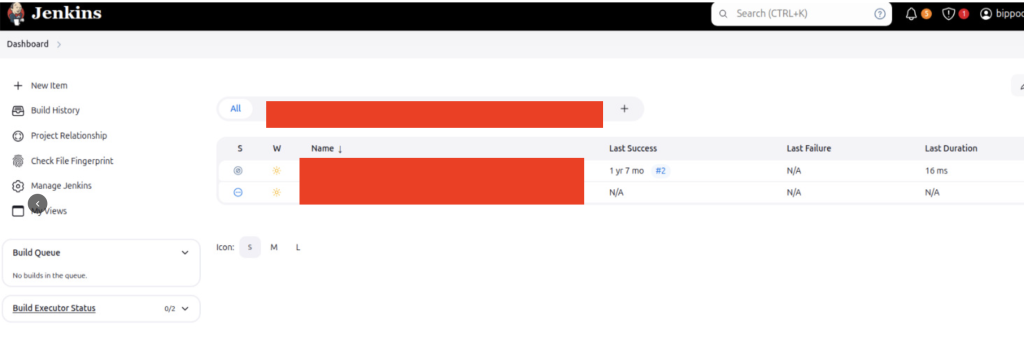
it should be more than 20 jobs however its only show 2 jobs.
My jenkins is run in docker, i checked the logs from container.
docker logs -f --tail 10 jenkins-blueocanjenkins SEVERE jenkins.InitReactorRunner$1#onTaskFailed: Failed Loading item Caused: java.io.IOException: Unable to read /var/jenkins_home/jobs/{myjobs}/config.xmlthats logs happen to all my jobs.
i checked at first logs from the container, the jenkins cannot start the plugins as well.
i try to fixing the permission also doesnt work
chown -R jenkins:jenkins /var/jenkins_home/*Workarounds
after browsing and ask to Gemini we need to move the old plugins and let the jenkins explode/initiate the plugin folder again.
- rename the old plugin and create again
mv /var/jenkins_home/plugins mv /var/jenkins_home/plugins.bak
2. restart container jenkins
docker restart jenkins-blueocan3. i checked the web page jenkins again and now its show all of the jobs again.
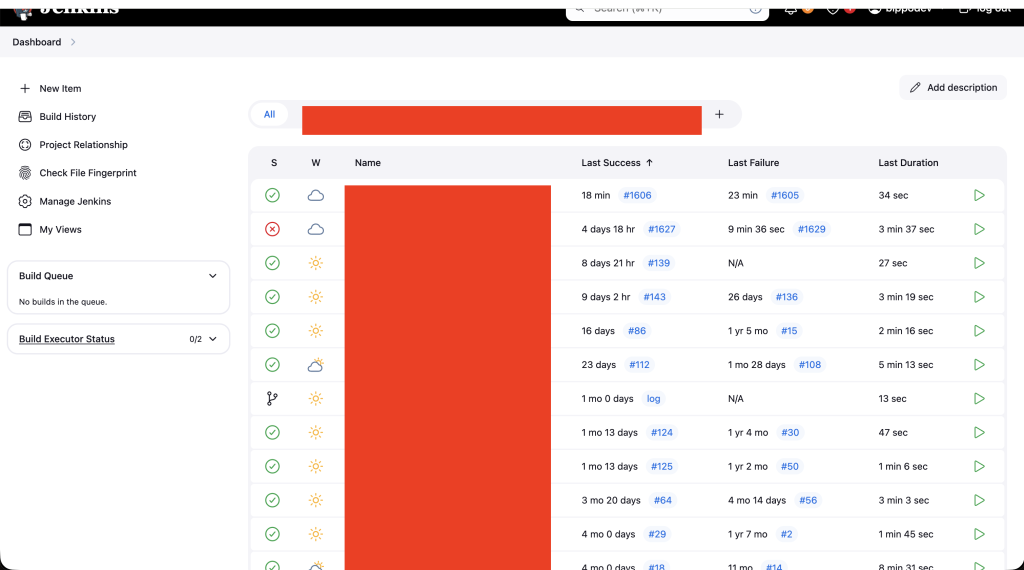
4. i checked the job is running or not by testing one deployment to run, the jobs is failed to run because the plugin is missing in current new plugin directory.
5. Move non-builtin plugin from old plugin to the new folder plugin to make all jobs running again
mv /var/jenkins_home/plugins.bak/ssh* /var/jenkins_home/plugins6. after i try again the jobs. all the jenkins is running now.
Thank you.
