
Overview
Anti-SPAM
- ESA uses a special scoring system to detect unwanted messages.
- Relies on senderBase & 100.000 message attributes
- Score & Thresholds classify a message as legitimate, or positive/suspected SPAM.
- Configurations
- Engine Activations.
- security services → iron ports Anti-Spam.
- Settings & actions
- Mail Policies.
- Engine Activations.
Graymail
- Email traffic users signup for :
- newsletters, mailing list subscribe, social media etc.
- graymail can be not only filtered, but also securely, (turned off)
- unsubscribe services.
- requires working anti-spam
Anti-virus
- ESA includes two local AV scanning engine: sophos and McAfee.
- multi layer scan is possible McAffe and sophos.
Outbreak filter
- Responsible for real-time detection of new emerging threats.
- Antivirus is not real time to define the threat the developer need to analyze and give mark the attack as a threat or create signature for the virus/threat
- VIral:
- VIrus attachment (Never seen before)
- Non Viral
- Message with link to external malware/phising/scan website.
- Outbreak Filter dont impose any final action on the message.
- Delay
- Redirect to other legal url.
- Modify.
Outbreak Rule
- Outbreak:
- global data
- real-time update around every 5 minutes
- Adaptive
- The rule are scanned by context adaptive scanning engine (CASE).
- Message scoring from 0 (no risk ) – 5 (Highly risk)
- action are ordered by policy settings.
Message Filtering
- Powerful filtering engine used for advanced email handling
- dropping, bouncing, archiving, altering and more
- kick in before security policies
- apply to the entire mail flow.
- Available Only Though CLI with command filter.
- dstrict programming-language-like syntax
Topology
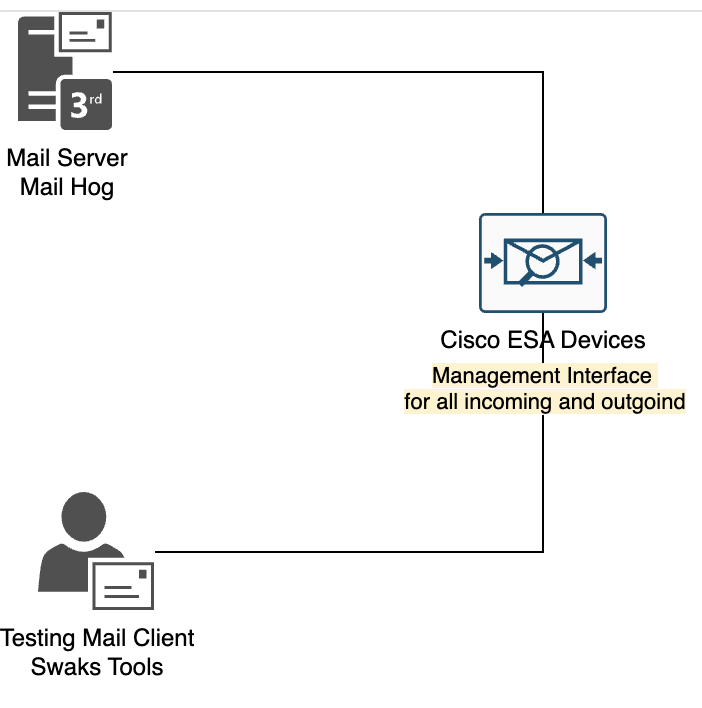
Scenarios
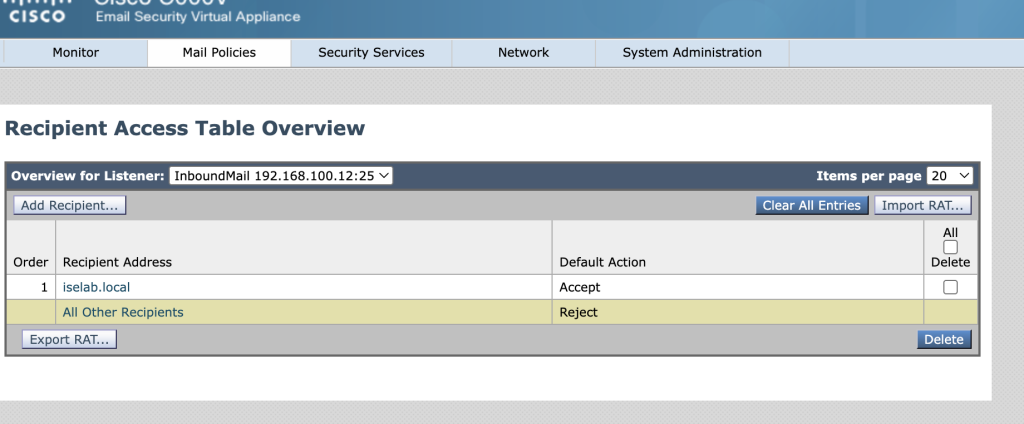
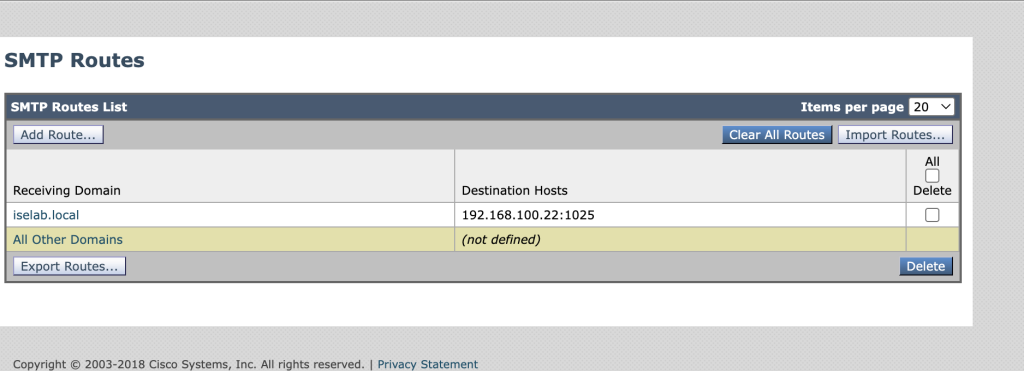
- configure the route cisco ESA to route incoming mail destination iselab.local to ip 192.168.100.22 port 1025
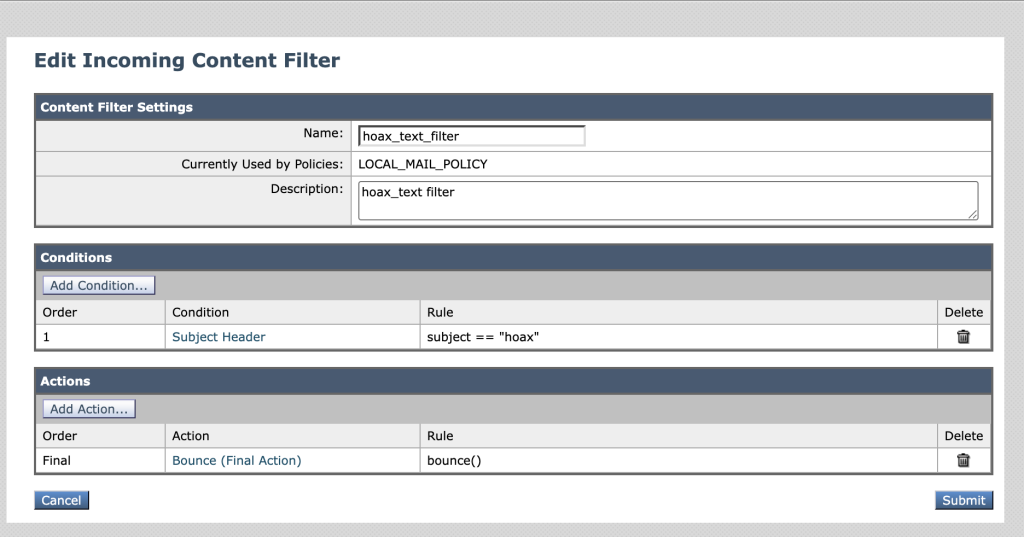
- configure ESA to bounched email when subject mail contain text hoax.
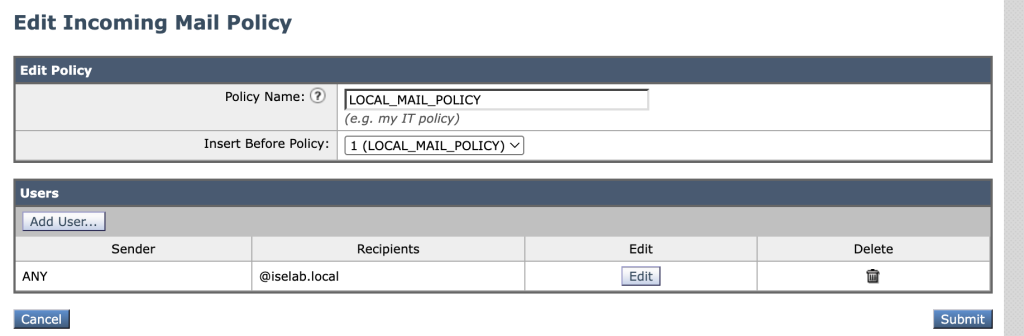
- configure new policy for local mail server name iselab.local
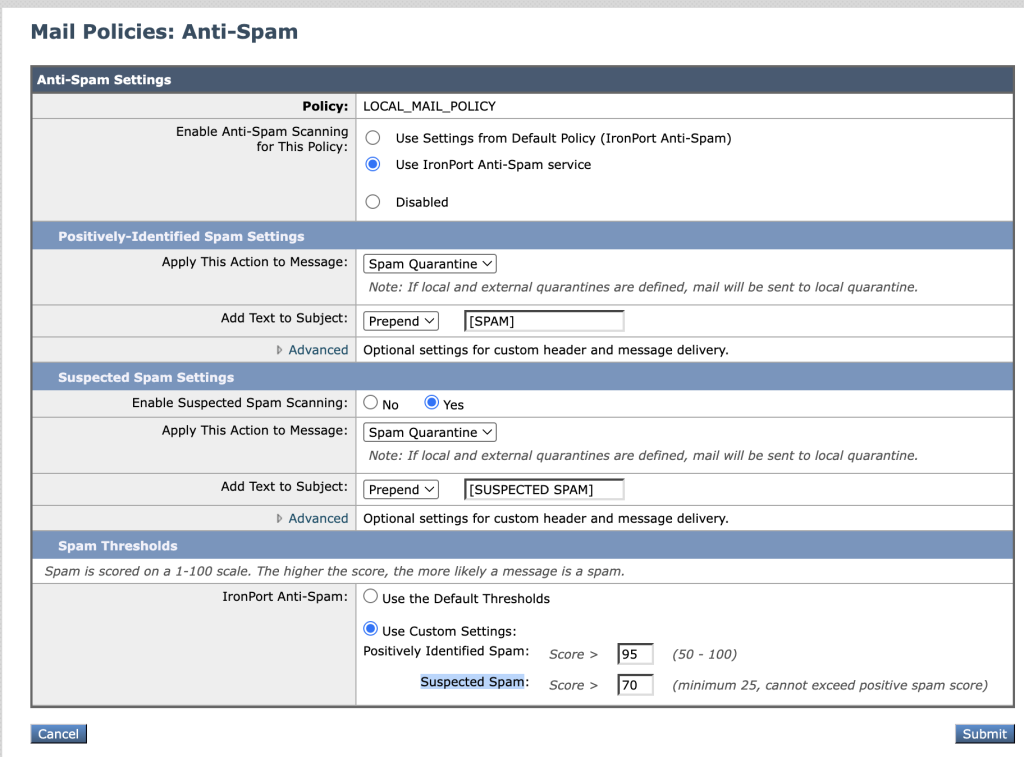
- enable antispam profile with quarantine action.
- Positively Identified Spam > 95 and Suspected Spam > score 70.
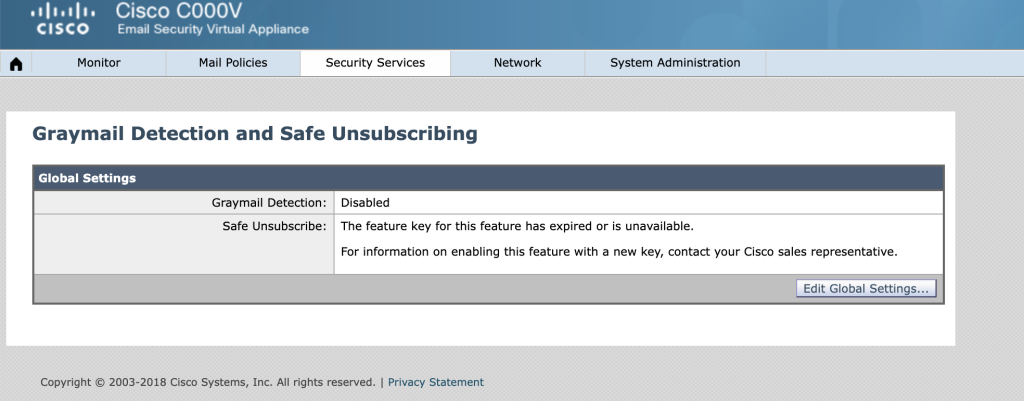
- enable graymail detection for this ESA platform.
- Configure antivirus policy for this ESA.
- Dont drop the message when attachment is virus
- scan the virus but not repair the file.
- Enable outbreak filter to make sure malware url is rewrited.
- Configure mail filtering with name BadGuyDomain with this rule:
- drop the packet from badguy@example.com to internal users asep@iselab.local
Configuration scenario 1
- add recipient address on menu mail policies -> recipient address table.
2. configure the route SMTP for domain iselab.local to 192.168.100.22 port 1025 on menu network -> smtp routes
Configuration content Filtering scenario #2
- go to mail policies -> incoming content filters -> add filters
Configuration SPAM Filtering scenario 3#
- go to mail policies -> incoming mail policies -> new policy
- go to mail policies -> incoming mail policies -> anti-spam
Configuration Scenario 4# Graymail:
- enable graymail detections –> security service -> graymail detecetion and safe unsubscribing.
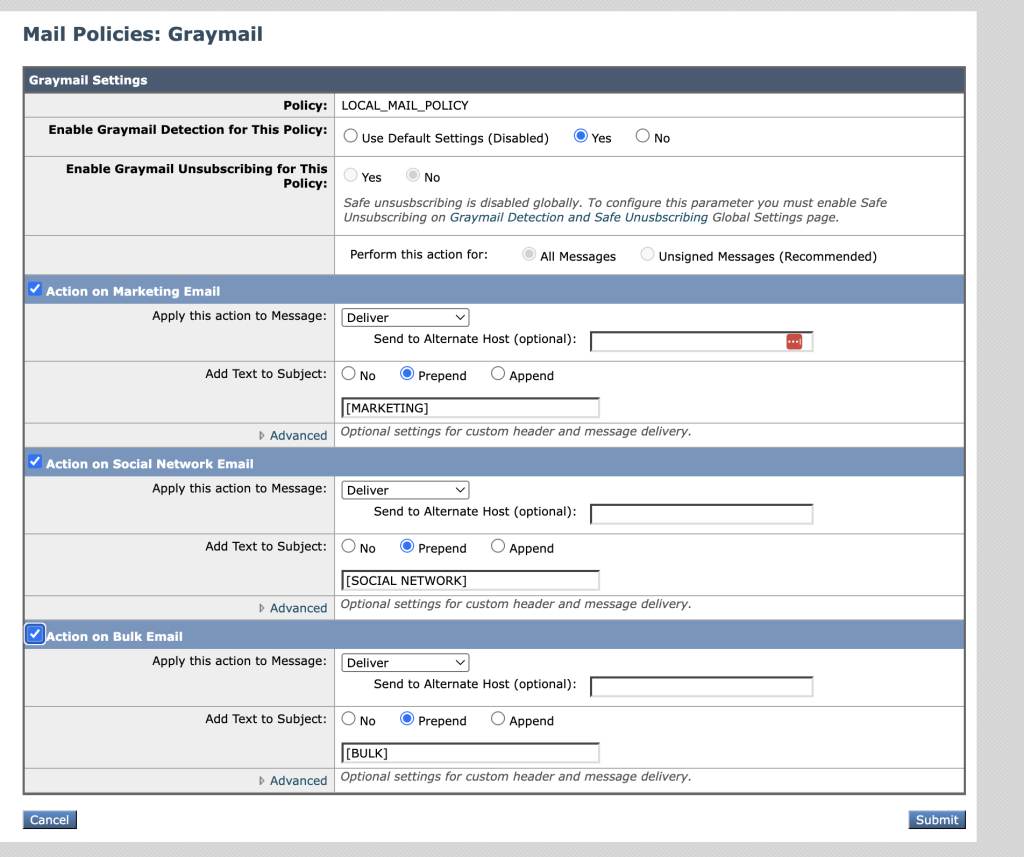
2. enable in policy to verify email in social, marketing and bulk mail.
Configuration Scenario 5# Antivirus:
- go to policy and check the antivirus.
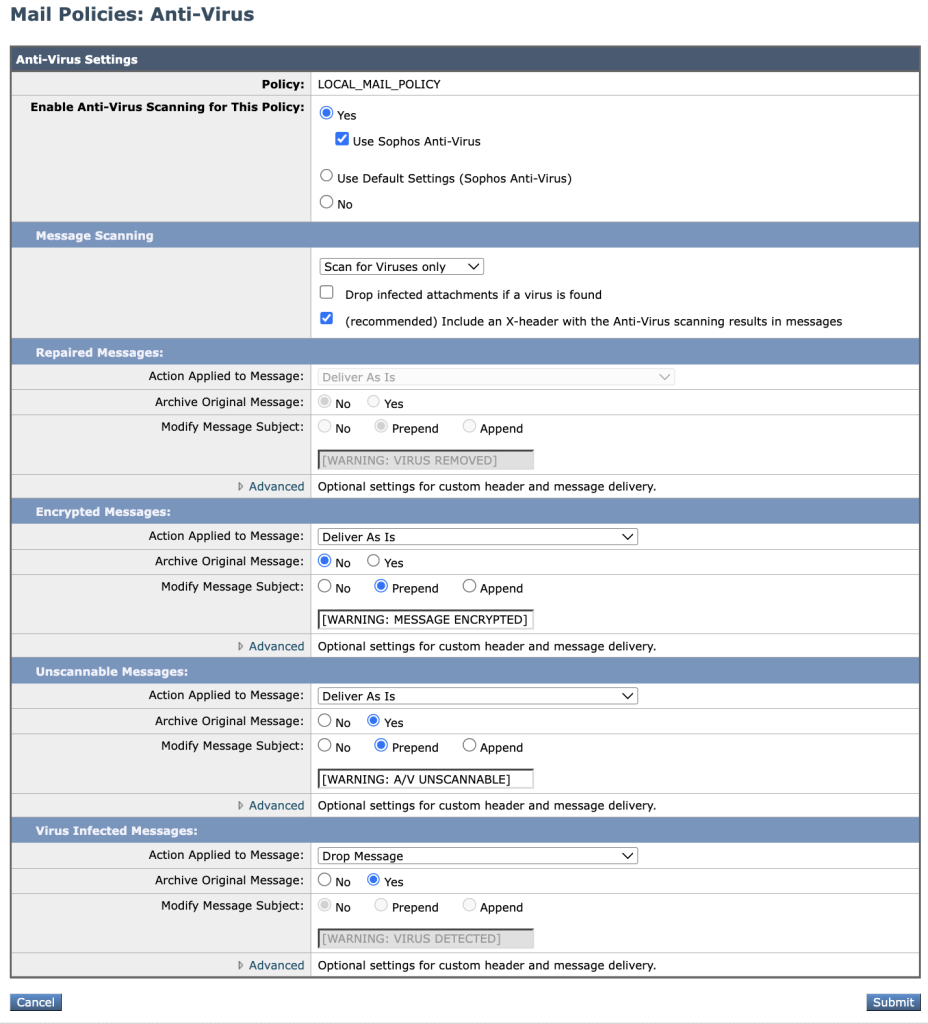
commit all the changes and verify the configuration on the next steps.
Configuration Scenario 6# Outbreak filters
- go to policy and enable the outbreak filters.
- modify the filter to custome outbreak filters and rewrite the urls.
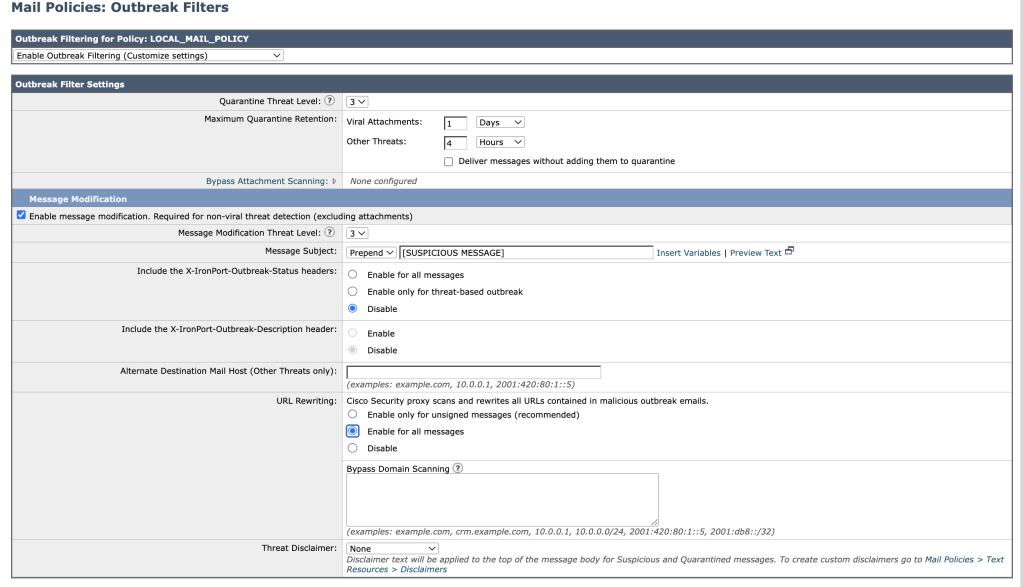
Configuration scenario 7# message filtering
- to create rule filtering for this scenario we can easly use content fltering menu to create proper rule.
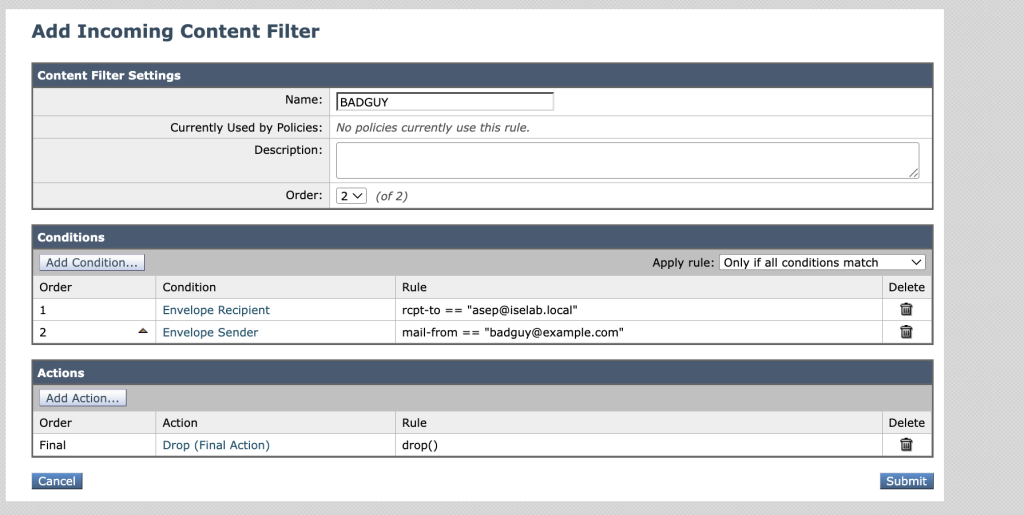
convert to rules and copy the rule to notepad for creating in CLI
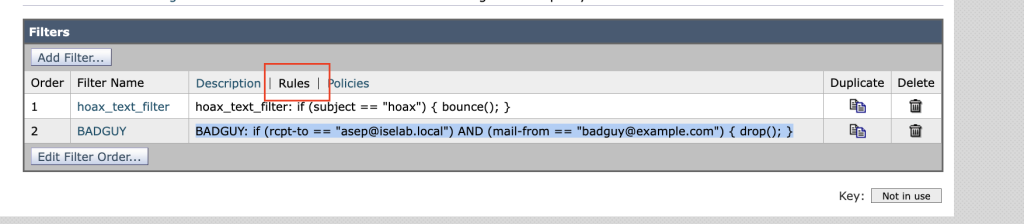
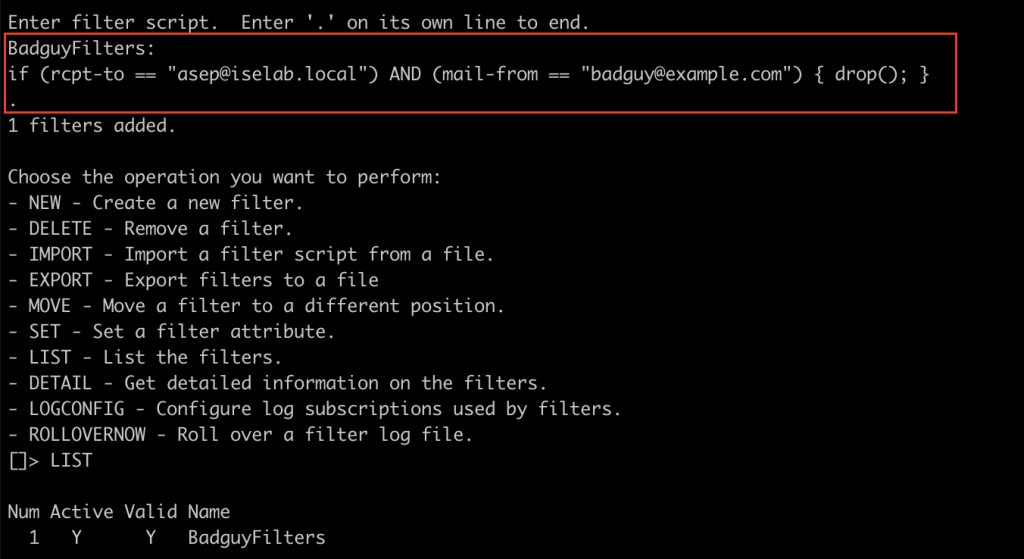
To implement in CLI for mail filtering we use command filters
>filters
new

BadguyFilters:
if (rcpt-to == "asep@iselab.local") AND (mail-from == "badguy@example.com") { drop(); }
.
commit the configuration from command line
commitVerifications
for this verifications process im using mail hog as a mail server and swaks tool command to sending email.
in ESA you can use tail command and go to log number 19 (mail log)
Verification sending normal email Scenario 1:
swaks --server 192.168.100.12:25 --from john@example.com --to asep@iselab.local
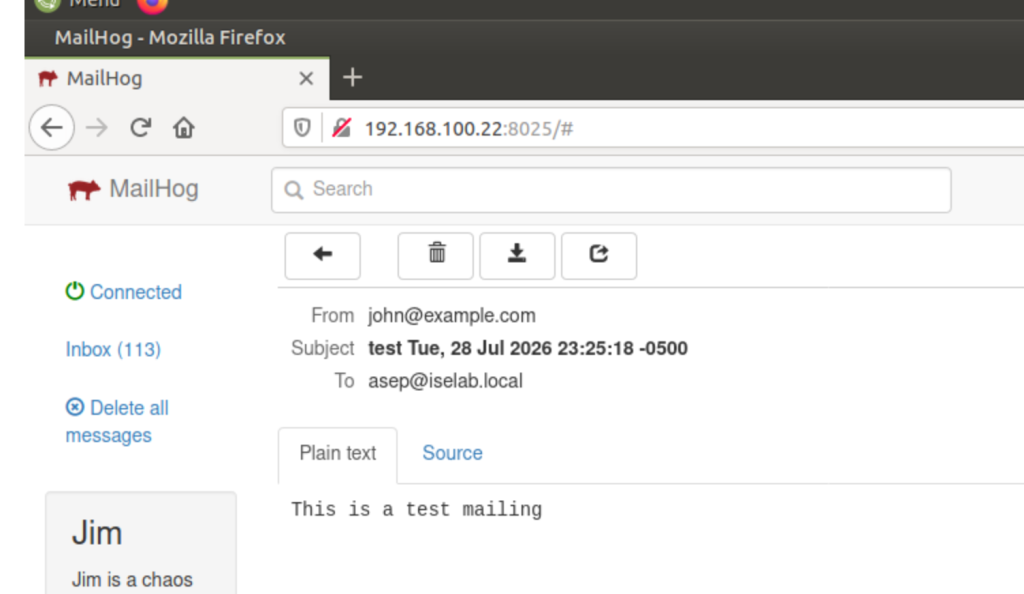
Verification content filtering with header hoax Scenario 2:
swaks --server 192.168.100.12:25 - -header "subject: this is hoax mail" - -from john@example.com --to asep@iselab.local
Verification antispam feature Scenario 3:
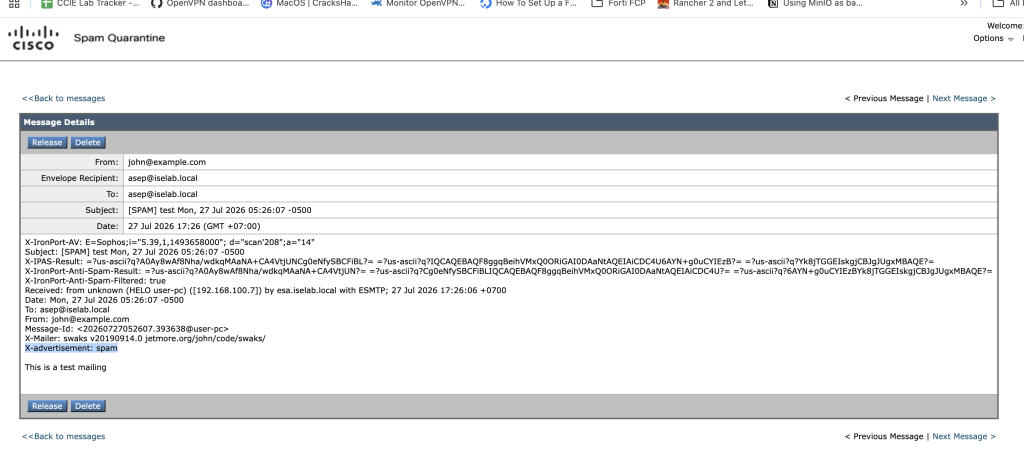
swaks --server 192.168.100.12:25 --header "X-advertisement: spam" --from john@example.com --to asep@iselab. local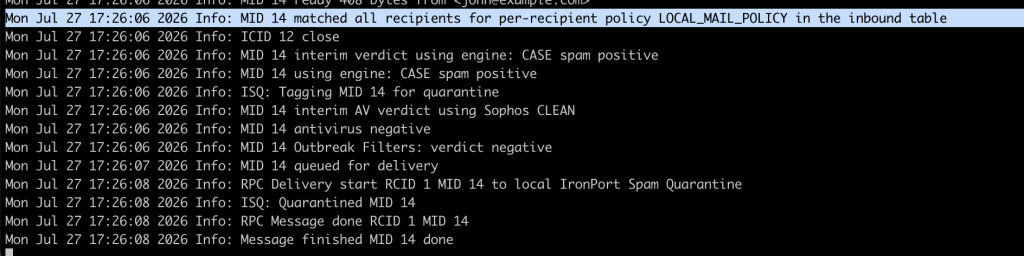
to check the quarantine message go to monitor -> spam quarantine.
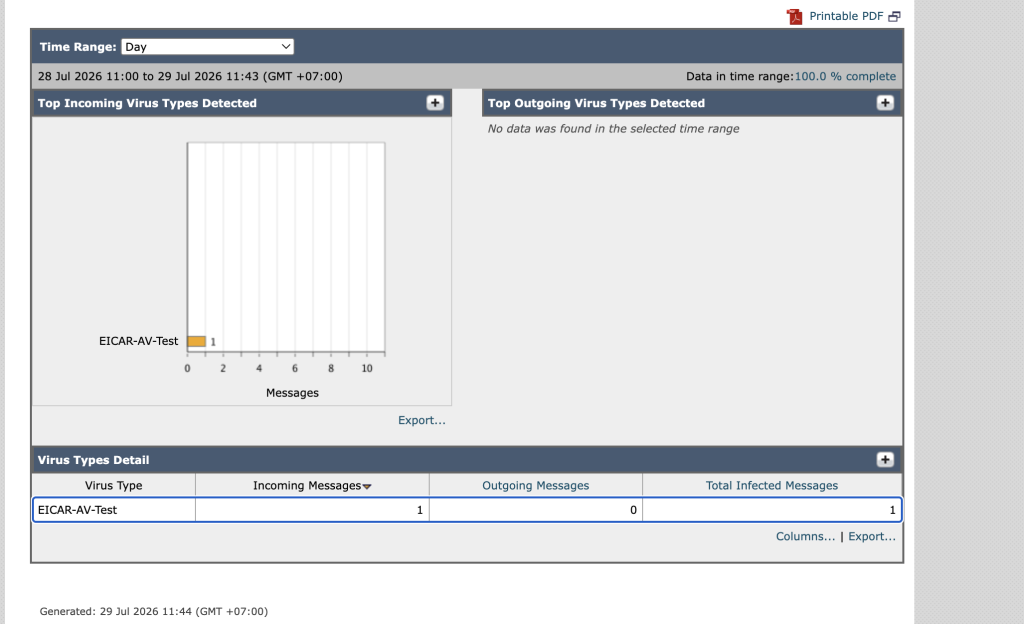
Verification antivirus policy ESA 5:
For this testing i will use eicar file as a virus contain in mail attacment.
vi eicar.com

X5O!P%@AP[4\PZX54(P^)7CC)7}$EICAR-STANDARD-ANTIVIRUS-TEST-FILE!$H+H*

# send the attachment to the servers
swaks --server 192.168.100.12:25 --Subject "This is virus mail" --from john@example.com --to asep@iselab. local --attach eicar.com
Verification Outbreak Filter Scenario 6:
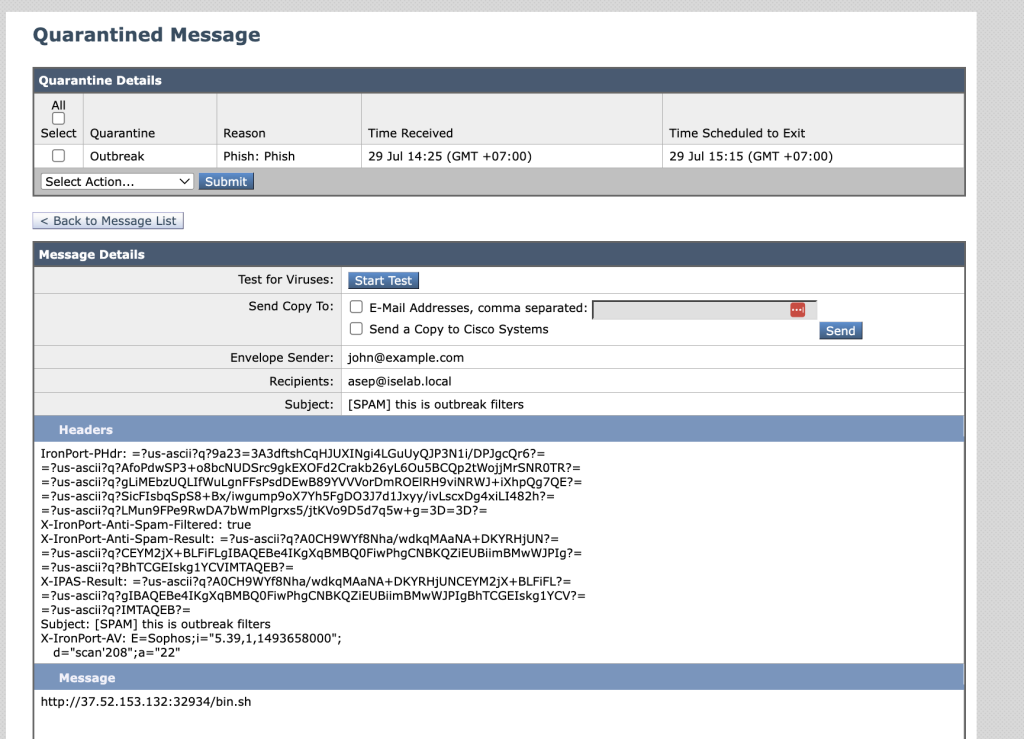
swaks --server 192.168.100.12:25 --Subject "This is virus mail" --from john@example.com --to asep@iselab. local --body "http://37.52.153.132:32934/bin.sh"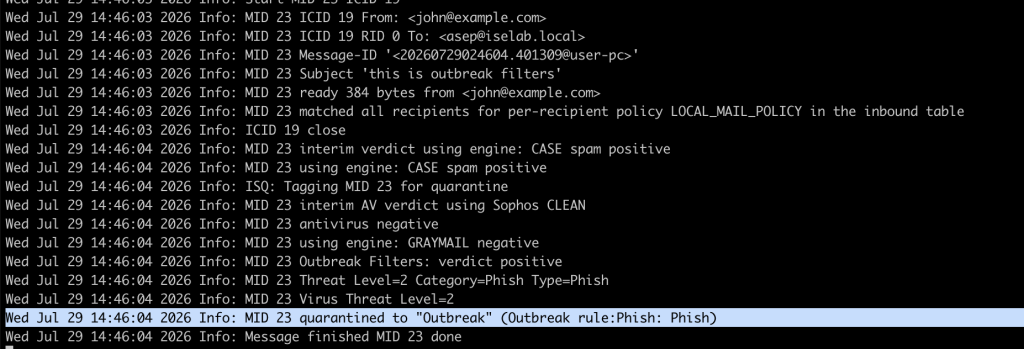
we can check the mail quarantined mail from menu monitor -> policy, virus and outbreak quarantine.
Verification message filtering scenario 7:
swaks --server 192.168.100.12:25 - -header "subject: this is mailfiltering" - -from badguy@example.com --to asep@iselab.local --body "hello this is badguy"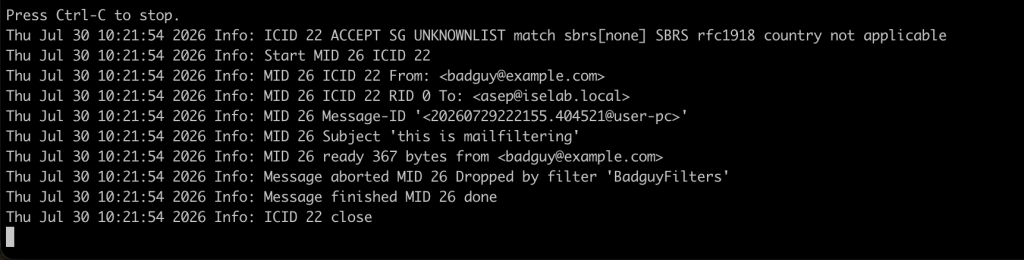
As you can see from the log the mail filtering is take in place before mail policy.
Conclusions
with cisco ESA we can filter and securing email to our inbound mail server with several features i have desribe before.