Overview
- ISE uses profiling for endpoint detection & classification.
- Relies on probes & Policies
- Profiling Probes analyze received network traffic
- collect endpoint attribute
- Profiling policies
- analyze attribute to determine endpoint profile
- Profiling information aids building accurate policies.
- software collecting and analyzing network data for profiling
- several probes exist to collect different attributes:
- RADIUS, SNMP, HTTP, etc.
- Most probes are passive
- traffic must be delivered to ISE
- several probes exist to collect different attributes:
- Probes are useful if the collected data can be bound to an endpoint
- Full MAC-IP address bindings are always desirable
- HTTP, DNS and Netflow
- Full MAC-IP address bindings are always desirable
Radius Probe
- originally used to gather MAC & IP address information
- Calling-station ID
- MAC
- Framed IP-address (accounting-packet)
- IP
- Calling-station ID
- Radius probe is commonly used deployed along with device sensor
Device sensor
- enable a switch/WLC to include additional profiling attributes
- inside of radius accounting packet
- CDP, LLDP DHCP
- recommended for scaling the deployment
- Configurations
- Turn on radius accounting, accounting VSA, CDP/LLDP & DHCP snooping
- enable with device-sensor accounting & device sensor notify all-changes.
- Verify with show device-sensor cache.
SNMP probe
- Only recommended if devices sensor is not supported.
- Trap
- sent by NAD to ISE on a link up/down event.
- capable of collecting mac address information if enabled
- query
- sent by ise to NAD to fetch CDP/LLDP/ARP data
- in response to SNMP trap or radius account packet
- periodically
- NMAP
DHCP Probe
- useful to probe IP mac address and OS information
- DHCP (no span)
- require dhcp packet sent to ISE via dhcp relay
- DHCP SPAN
- might be hard to deply and cause replication issues
HTTP Probe
- Main source of the OS information
- HTTP request agent
- HTTP (no SPAN)
- require http packet to be sent to iSE
- traffic will be profiled even if the Probe is disabled.
- HTTP SPAN
- commonly deployed int the internet Edge
- might be too resource intensive
Other probes
- DNS
- Acquire based on reverse dns lookup.
- Active Directory
- Extract AD-related information (Windows system)
- Netflow
- profile endpoint based on workflow characterics rather than attributes
- Netflow data may oversubscribe:
- user netflow v9 eg. stealtwatch.
- NMAP
- Active mechanism directly with an endpoint
- TCP/UDP Port scanning . including SNMP WAlk
- Activation
- manual : scan specific ip
- dynamic: scan subnet
- Like http and dns require ise already know the IP-MAC address binding.
- Active mechanism directly with an endpoint
Topology
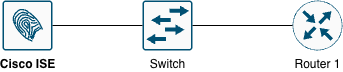
Testing Scenario
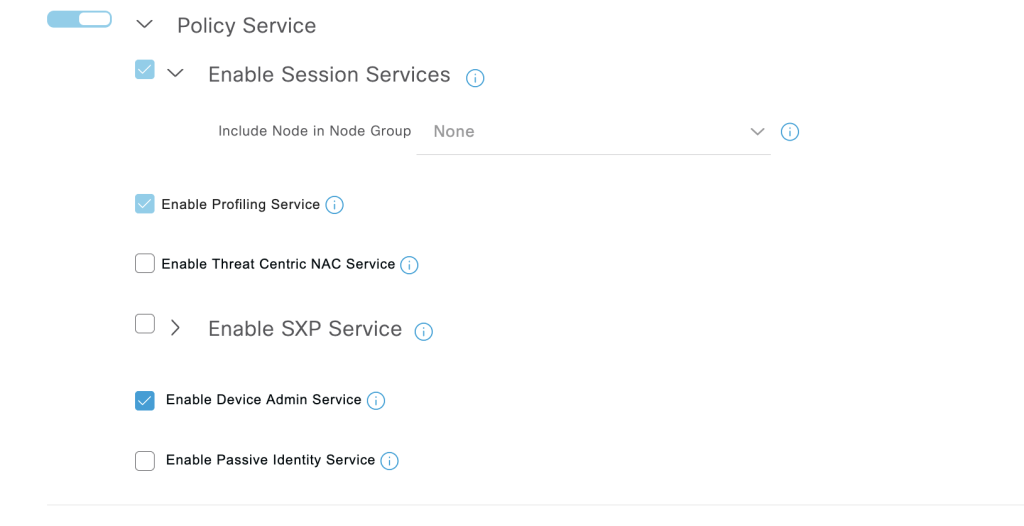
- Make sure Profiling is enabled on ISE1
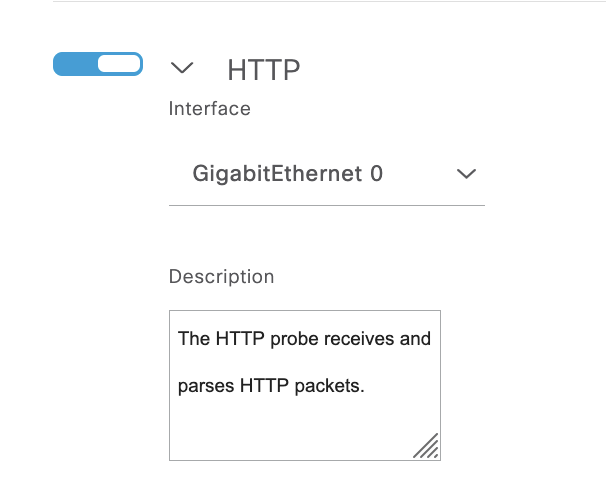
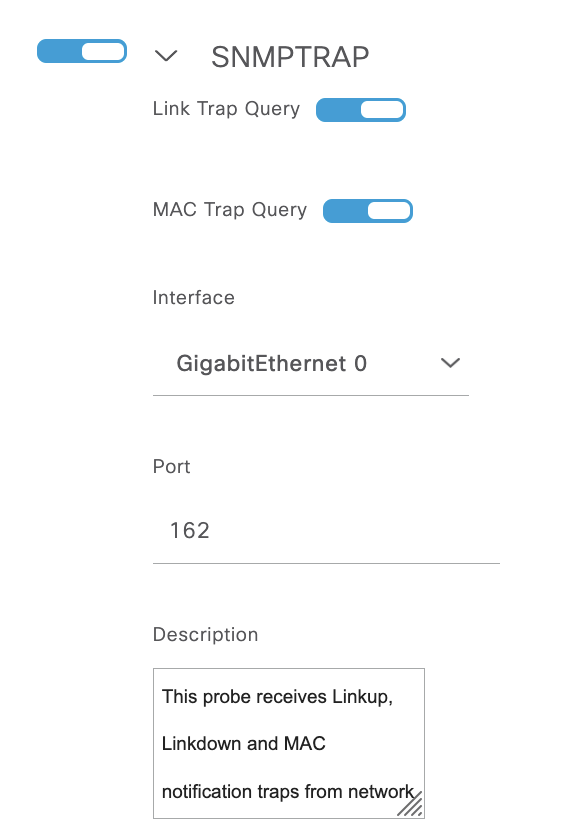
- Turn the HTTP & SNMP TRAP probes on
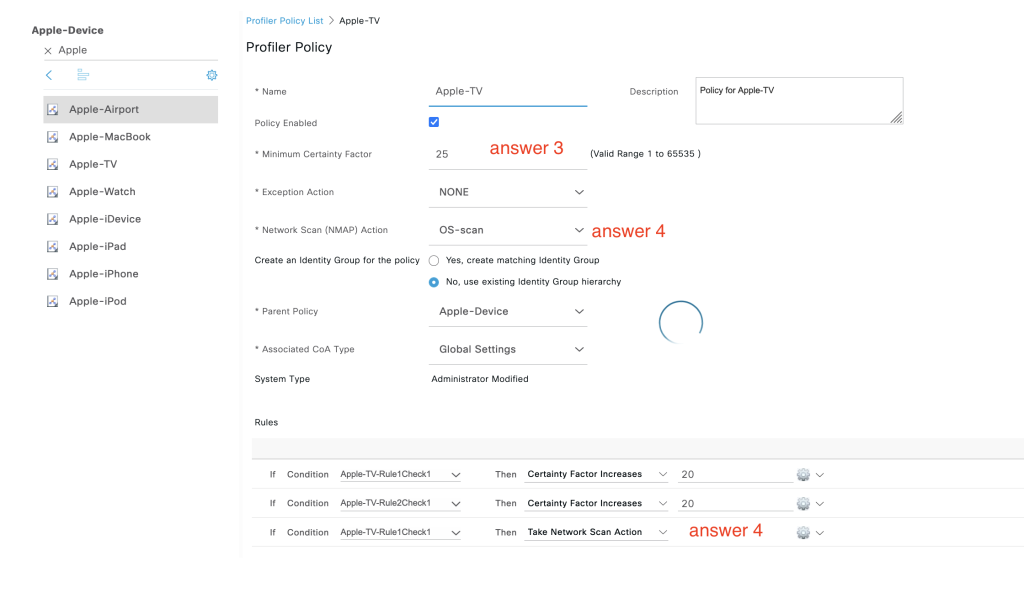
- Tune the Apple-TV profiling policy, Set the minimum CF value to 25
- Enable NMAP OS scan
- The scan should be performed if the endpoint’s User Agent contains the string “AppleTV”
Configurations
- Enable profiling in the menu: Deployment -> choose ise -> enable profiling service.
2. Turn HTTP and SNMP trap mode to profiling: Deployment -> choose ise -> profiling configuration
3. Tune policy for Apple TV : Work Centers -> Profiler -> Profiling Policies -> search for Apple TV